Tools & materials you'll need
Affiliate linksAs an Amazon Associate FixlyGuide earns from qualifying purchases — at no extra cost to you. Prices and availability are accurate as of publication and subject to change.
Quick Answer
Many homeowners jump into smart thermostat installation only to find their device won't power on or constantly loses power. The culprit is almost always a missing or improperly connected C-wire (common wire). This wire provides continuous 24V AC power, which smart thermostats, with their Wi-Fi capabilities and backlit screens, absolutely need. If your old thermostat didn't use a C-wire (which is common for older, simpler models), you'll need to locate an unused wire in your bundle or install a C-wire adapter. This guide will walk you through diagnosing the C-wire issue and implementing a reliable fix, ensuring your new smart thermostat functions perfectly.
The Problem
You've unboxed your sleek new smart thermostat, eager to start saving energy and controlling your home's temperature from your phone. You follow the instructions, connect the wires, and... nothing. Or maybe it powers on for a bit, then dies a few hours later, possibly displaying a low battery warning even though it's hardwired. This frustrating scenario is overwhelmingly caused by an insufficient power supply, specifically the absence or misconfiguration of the C-wire (common wire).
Traditional mechanical or basic digital thermostats often operate on battery power or 'power stealing,' drawing small amounts of power from the heating and cooling wires when the system is not actively running. Smart thermostats, however, require a consistent, dedicated 24-volt AC power supply to maintain their advanced features like Wi-Fi connectivity, large displays, and robust processors. Without a C-wire, the thermostat tries to 'steal' power more aggressively, leading to power cycling, random shutdowns, Wi-Fi disconnections, or rapid battery depletion. This isn't just an inconvenience; it can also potentially stress your HVAC system's transformer over time.
How It Works
Most modern HVAC systems operate on a 24-volt alternating current (AC) low-voltage circuit. This circuit typically consists of a transformer that steps down higher household voltage (120V or 240V) to the safer 24V needed for control signals. The common wires in a thermostat setup transmit these signals to your furnace or air handler, signaling it to turn on heating, cooling, or the fan.
The essential wires for a typical HVAC system include:
- R (Red): The 24V hot wire, providing power from the transformer.
- Y (Yellow): Controls the cooling function (sends a signal to the air conditioner compressor).
- W (White): Controls the heating function (sends a signal to the furnace).
- G (Green): Controls the fan (turns the indoor fan on).
- C (Common): The 24V neutral wire, completing the circuit back to the transformer. This wire provides continuous power to the thermostat regardless of whether heating or cooling is active.
Older thermostats often didn't require a C-wire because they used batteries for internal power or 'power stealing,' which relies on drawing minuscule amounts of current through the R and W or R and Y wires when the system is idle. Smart thermostats, with their enhanced features like Wi-Fi radios and touchscreens, demand a constant, dedicated power source that 'power stealing' cannot reliably provide. The C-wire establishes a direct, uninterrupted path for power, ensuring the thermostat remains fully functional without draining auxiliary batteries or causing intermittent operation.
Step-by-Step Fix
1. Safety First — TURN OFF THE POWER
- Action: Locate your furnace or air handler and turn off the power at the main breaker switch. It's usually a dedicated switch on your electrical panel or a light switch-style switch near the HVAC unit. Confirm the power is off by trying to turn on your HVAC system from the old thermostat.
- Safety Note: Always turn off power to your HVAC system before handling any wiring. Working with live wires can cause electrical shock and damage to your equipment.
2. Document Your Old Thermostat Wiring
- Action: Take a clear, well-lit photo of your old thermostat's wiring connections before disconnecting anything. Note which wire color connects to which terminal letter (e.g., Red to R, Yellow to Y).
- If this doesn't work: If your old thermostat uses batteries and only has R, W, G, and Y wires, it likely lacks a C-wire. This photo will be crucial for reconnection.
3. Remove Old Thermostat and Check Wire Bundle
- Action: Gently remove your old thermostat from the wall. Inspect the bundle of wires coming out of the wall. Look for any unused wires that are tucked into the wall, often capped with electrical tape or simply bent back. A common color for an unused wire is blue, but it could be any color other than the ones currently connected.
- Tools: Small flathead screwdriver (if terminals require it).
- Expected: You're hoping to find an extra wire you can designate as your C-wire.
4. Locate the C-Terminal on Your HVAC Control Board
- Action: Head to your furnace or air handler. Open the access panel (it often has a safety switch that cuts power when opened – if so, you'll need to defeat it temporarily by taping it down or holding it to restore power for testing later, but only do this after confirming system power is off at the breaker). Look for the control board, usually a green or blue circuit board with terminals matching the thermostat wires. Find a terminal labeled 'C' or 'Common'.
- If you can't find it: Consult your HVAC system's manual. Some older systems might not have a readily available 'C' terminal or may have a different labeling scheme.
5. Connect the Unused Wire to the C-Terminal on the Control Board
- Action: If you found an unused wire in the wall bundle, carefully strip about 1/4 inch of insulation from its end. Connect this newly designated C-wire to the 'C' terminal on your HVAC control board. Make sure the connection is secure.
- Safety Note: Double-check that all other connections on the control board remain undisturbed.
6. Connect the C-Wire to the Smart Thermostat Base
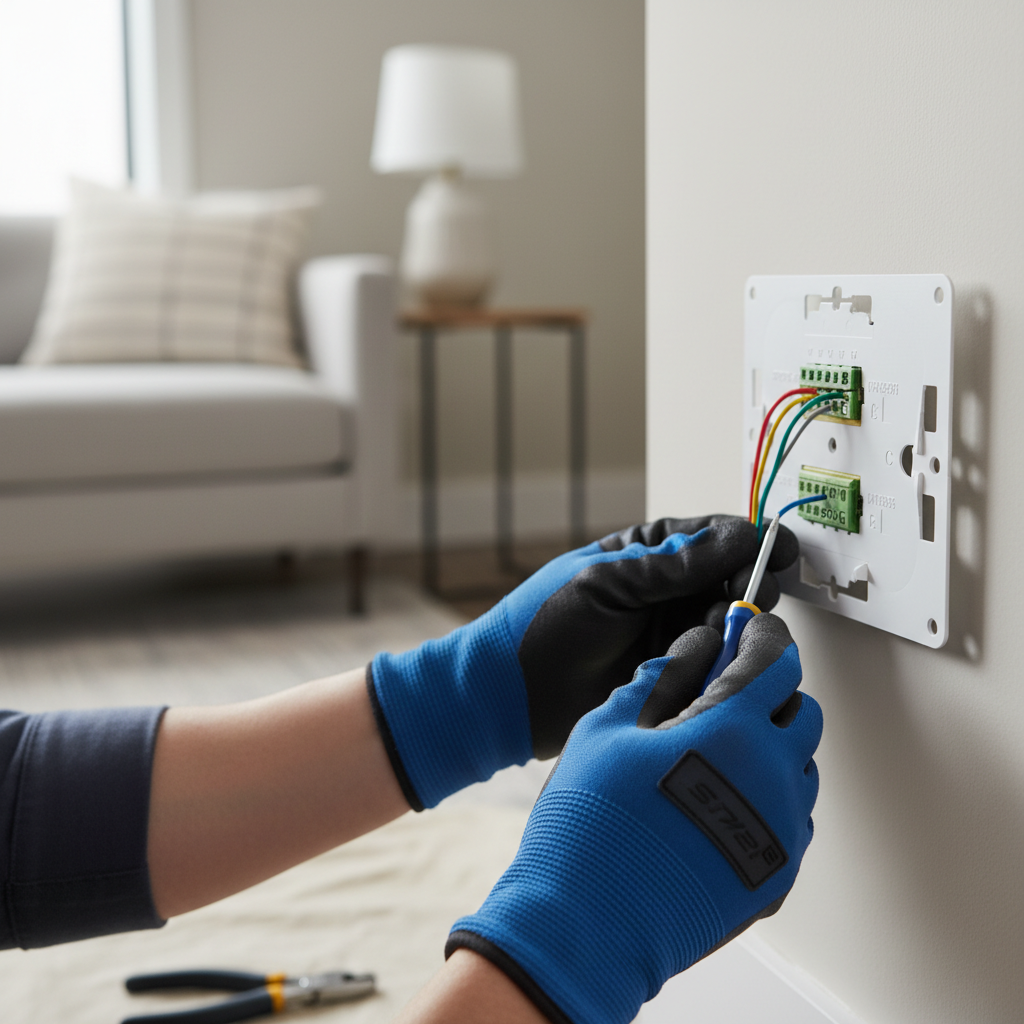
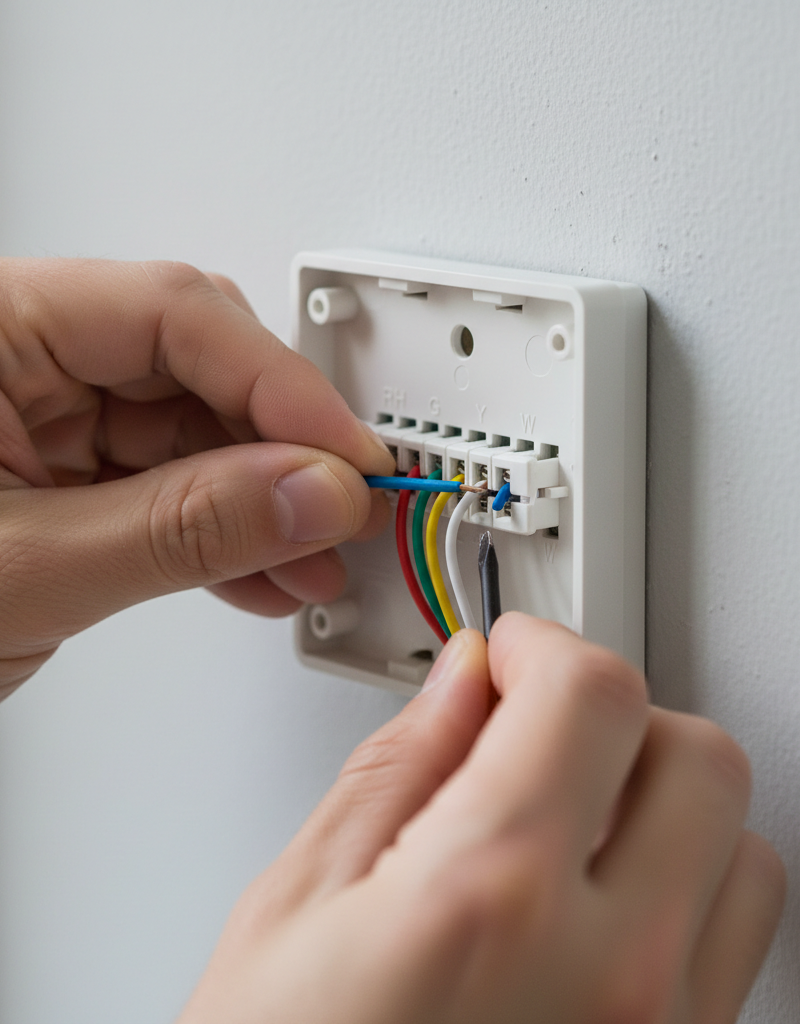
- Action: Go back to your thermostat location. Connect the same designated C-wire (the one you just hooked up to the control board) to the 'C' terminal on your new smart thermostat's backplate or wiring base.
- Tools: Small flathead or Phillips head screwdriver (depending on thermostat terminals).
7. Reconnect All Other Wires
- Action: Using your photo from Step 2, carefully reconnect all the other wires (R, Y, W, G) to their corresponding terminals on the new smart thermostat's base. Ensure each wire is securely seated and not touching any other terminals.
- Tip: Strip any existing wires that show signs of fraying or damage before reconnecting them.
8. Mount the Smart Thermostat and Restore Power
- Action: Mount the smart thermostat display unit onto its base. Go back to your electrical panel and flip the breaker switch to restore power to your HVAC system. The smart thermostat should now power on.
- Expected: The thermostat should boot up and guide you through initial setup (Wi-Fi connection, scheduling, etc.).
9. Test Your HVAC System
- Action: Once the thermostat is fully set up, test both the heating and cooling functions. Set the thermostat to a temperature colder than your room's ambient temperature to test cooling, then set it warmer to test heating. Also, test the fan-only mode.
- Troubleshooting: If only some functions work (e.g., heating but no cooling), double-check your wiring connections against your original photo and the smart thermostat's manual.
10. If No Unused C-wire is Present: Use a C-Wire Adapter
- Action: If you thoroughly searched and found no extra unused wire in your wall bundle, you will need a C-wire adapter. Many smart thermostat manufacturers provide these in the box or sell them separately. Follow the adapter's specific instructions, which typically involve connecting it to the G and Y wires at your furnace control board to create a virtual C-wire.
- Pro Tip: Some adapters require you to sacrifice the fan-only control (G wire) to create the C-wire. If having fan-only control is important to you, consider running a new C-wire or calling a professional electrician/HVAC technician.
Common Causes
- Missing C-Wire from Original Wiring: Older homes or simpler HVAC systems often weren't wired with a dedicated C-wire because many older thermostats ran on batteries or used 'power stealing' techniques for their minimal power needs.
- Incorrect C-Wire Identification: Sometimes, a C-wire exists but is mislabeled or was simply left unconnected at the thermostat or HVAC control board during a previous installation.
- Loose or Damaged C-Wire Connection: Even if a C-wire exists, a loose connection at either the thermostat base or the furnace control board can interrupt continuous power, leading to intermittent functionality.
- HVAC System Transformer Issues: While less common, an HVAC transformer that isn't providing the correct 24V output can also lead to power issues. This is usually accompanied by other HVAC problems.
- Smart Thermostat Requires More Power: Compared to basic models, smart thermostats consume significantly more power due to Wi-Fi, larger displays, and more complex processing. 'Power stealing' is insufficient for these demands.
Common Mistakes
- Not Shutting Off Power Completely: Forgetting to turn off the power at the breaker to the HVAC system is dangerous and can lead to electrical shock or damage to the thermostat and HVAC components.
- Mixing Up Wire Labels: Relying solely on wire color without confirming the terminal label (e.g., assuming a blue wire is always 'C') can lead to incorrect connections. Always double-check both the wire color and the terminal label from your old setup.
- Ignoring Unused Wires: Many homeowners overlook the bundled, unused wires tucked into the wall behind the old thermostat, not realizing one of them could be a ready-to-use C-wire.
- Skipping the HVAC Control Board Connection: Just connecting an unused wire to the 'C' terminal on the new thermostat isn't enough; it must also be connected to the 'C' terminal on the HVAC control board for the circuit to be complete.
- Over-tightening or Loose Connections: Wires that are overtightened can be damaged, while loose connections can cause intermittent power issues or poor signal transmission.
- Not Testing All HVAC Modes: Only testing heating or cooling isn't enough. Always test heating, cooling, and fan-only modes to ensure all functions are correctly wired and operational.
Cost & Time Breakdown
| Task | DIY cost | Pro cost | Time |
|---|---|---|---|
| Diagnosing C-wire issue | $0 | $80–$150 | 15–30 min |
| Connecting existing C-wire | $0 | $80–$150 | 30–60 min |
| Installing a C-wire adapter | $15–$50 | $150–$250 | 45–90 min |
| Running a new C-wire (DIY) | $5–$15 (wire) | $200–$400+ | 2–4 hours |
| Smart thermostat itself | $100–$300 | Included in pro | (N/A) |
Tips & Prevention
- Check for a C-wire BEFORE Buying: Before you even purchase a smart thermostat, remove your old thermostat faceplate and check for a 'C' wire. If you don't see one, inspect the wire bundle carefully for an unused wire. This can save you a lot of hassle.
- Read Your Thermostat's Manual: Every smart thermostat has specific wiring diagrams and troubleshooting steps. Read it thoroughly before beginning installation.
- Label Wires Carefully: If your old thermostat wiring isn't color-coded in a standard way, use masking tape and a marker to label each wire with its corresponding terminal letter (R, Y, W, G, C) as you disconnect it.
- Consider a C-Wire Adapter as a Backup: If you're unsure about your wiring, having a C-wire adapter (either included or purchased separately) on hand can be a lifesaver if you find you don't have a dedicated C-wire.
- Ensure All Connections are Snug: Loose wires are a common cause of intermittent power or system malfunctions. Double-check that all wires are securely fastened in their terminals at both the thermostat and the control board.
When to Call a Professional
While identifying and connecting a C-wire is often a straightforward DIY task, there are specific situations where calling a licensed HVAC technician or electrician is highly recommended. If, after carefully following all steps, your smart thermostat still isn't powering on reliably, or if your HVAC system exhibits erratic behavior (e.g., furnace short-cycling, AC not engaging), a deeper electrical issue might be at play. You should also call a pro if you cannot locate the HVAC control board, if your system uses high-voltage wiring (rare for thermostats, but crucial to identify), or if you are uncomfortable working with electrical components inside your furnace or air handler. Additionally, if running a new C-wire through walls proves too challenging or requires modifying existing conduit, a professional can ensure the job is done safely and to code, preventing potential damage to your home or HVAC system.
Related Articles
Keep troubleshooting with these hand-picked guides from FixlyGuide:
- The #1 Mistake Homeowners Make Installing a Smart Thermostat (and How to Avoid It) — Avoid the most common pitfall when installing a smart thermostat yourself and ensure a smooth, functional setup with these expert tips.
- The #1 Mistake Homeowners Make When Their AC Won't Turn On (And the Easy Fix) — Learn the most common reason your air conditioner won't turn on and how to diagnose and fix it with simple steps.
- AC Blowing Warm Air? Easy Fixes for Common AC Problems — Discover the most common reasons your AC is blowing warm air and learn simple, actionable steps to troubleshoot and fix the issue yourself,…
- Why Your House is Humid Despite AC & How to Fix It — Even with your AC running, high indoor humidity can make your home uncomfortable. Often, common issues like oversized units or clogged filt…
- Your Thermostat Isn't Broken — It's These 3 Culprits — If your thermostat isn't hitting the mark, it could be a simple fix. Learn how to troubleshoot common issues and get your home comfortable…
- The #1 Mistake Homeowners Make with a Slow Kitchen Drain (And the Simple Fix) — A slow kitchen sink drain is frustrating, but often an easy fix if you avoid common mistakes and know where to look first.
Frequently asked questions
What is a C-wire and why do I need it for a smart thermostat?+
A C-wire (common wire) provides continuous 24V AC power to your smart thermostat. Unlike older thermostats that might use batteries or 'power stealing,' smart thermostats require constant power for features like Wi-Fi, backlit displays, and advanced sensors. Without it, the thermostat may not power on, experience frequent disconnections, or drain batteries quickly.
Can I install a smart thermostat without a C-wire?+
It depends on the smart thermostat model. Some models are designed to operate without a C-wire, often using rechargeable batteries or relying more heavily on power stealing (though this can sometimes lead to issues). However, for reliable operation of most full-featured smart thermostats, a C-wire or a C-wire adapter solution is highly recommended.
How do I know if I have a C-wire?+
The easiest way to check is to remove your old thermostat's faceplate and look at the terminal labels. If there's a wire connected to a terminal labeled 'C', you have one. If not, inspect the wire bundle coming from the wall for any unused wires that might be tucked back, as one of them could be your C-wire.
What should I do if my smart thermostat still doesn't work after connecting the C-wire?+
First, double-check all connections at both the thermostat and the HVAC control board for security. Ensure the power to your HVAC system was turned back on. If issues persist, test individual HVAC functions (heating, cooling, fan) to narrow down the problem. If you're still stuck, consider calling a licensed HVAC technician to diagnose potential issues with your HVAC system's transformer or control board.
Can a C-wire adapter damage my HVAC system?+
When installed correctly according to the manufacturer's instructions, a C-wire adapter should not damage your HVAC system. These adapters are designed to safely create a common wire path where one doesn't exist. However, incorrect wiring may cause issues, so always follow the specific instructions carefully.
Discussion
Loading comments…