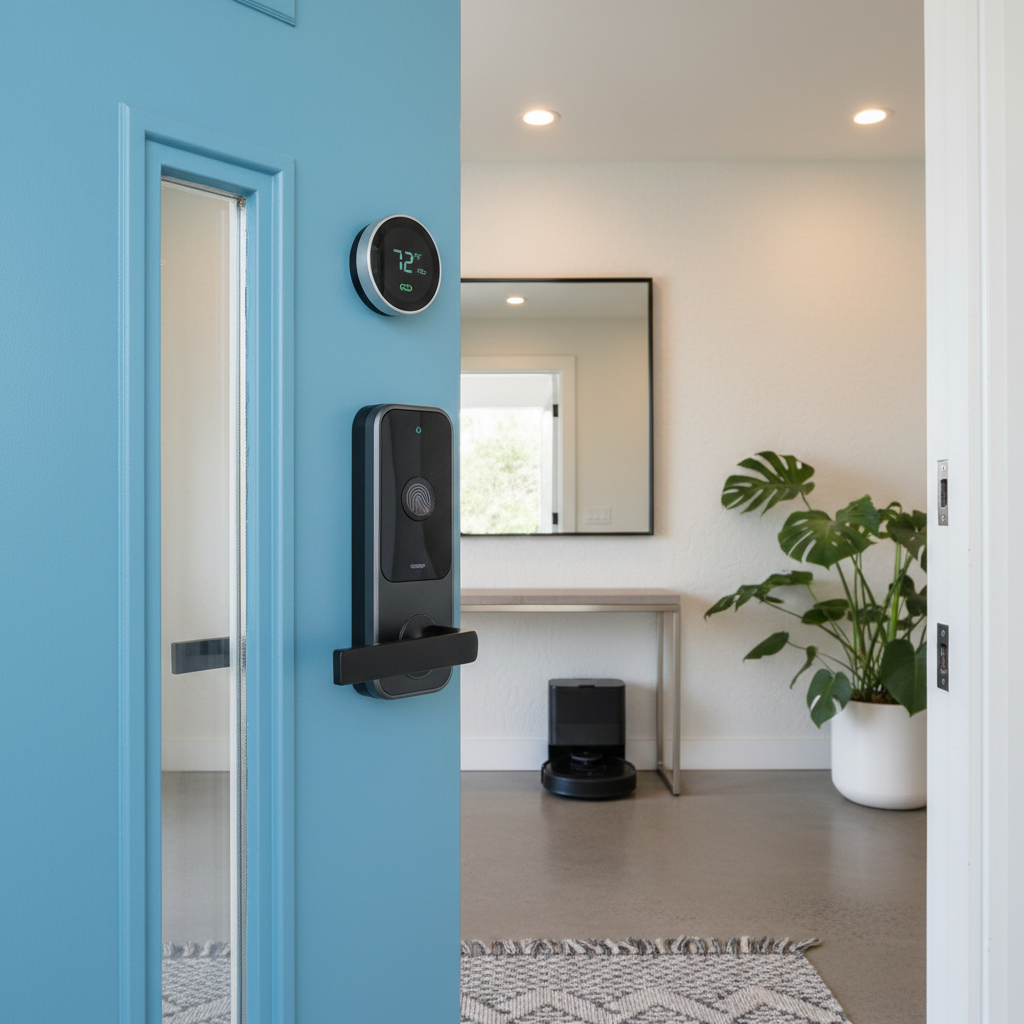
Tools & materials you'll need
Affiliate links- AmazonSmart Thermostat1 · e.g., Google Nest, Ecobee. Choose a well-known brand.
- AmazonVideo Doorbell1 · Can be wired or battery, but wired is often perceived as more permanent.
- AmazonSmart Lock1 · Keypad or fingerprint models have high appeal.
- AmazonSmart Light Switches4-10 · e.g., Lutron Caseta, Leviton Decora Smart. Switches add more value than bulbs.
- AmazonIntegrated Security System1 · Professionally installed systems from brands like ADT, Vivint, or SimpliSafe (pro install).
As an Amazon Associate FixlyGuide earns from qualifying purchases — at no extra cost to you. Prices and availability are accurate as of publication and subject to change.
Quick Answer
The best smart home upgrades for resale value are integrated, foundational systems that enhance security, climate control, lighting, and access. Think smart thermostats, video doorbells, and smart light switches. Standalone gadgets like smart refrigerators or egg minders typically do not add measurable value and can even deter buyers.
The Problem
You see the ads everywhere: a sleek video doorbell foiling a porch pirate, a voice-activated faucet delivering the perfect amount of water, color-changing lights transforming a living room into a disco. The promise of the "smart home" is alluring, and homeowners across the country are investing billions, assuming this technology automatically translates to a higher sale price. The reality, however, is far more complex and often disappointing.
Many sellers are discovering a frustrating gap between their perceived value of a high-tech gadget and a buyer's willingness to pay for it. You might love your smart coffee maker that starts brewing when your alarm goes off, but a potential buyer might just see another complex appliance that can break. The core problem is a misunderstanding of what constitutes a genuine upgrade versus a mere personalization. An upgrade is a permanent, valuable improvement to the home's core systems. A personalization is a gadget that suits your specific lifestyle. When it comes to resale, buyers pay for upgrades, not personalizations. This confusion leads to wasted money on tech that won't yield a return on investment (ROI) and can, in some cases, even complicate a sale.
How It Works
Why do some smart home upgrades for resale value pay off while others fall flat? The answer lies in buyer psychology, appraisal standards, and the principle of universal appeal. Buyers, at their core, are looking for security, comfort, and efficiency. Technology that transparently serves these fundamental needs is seen as a valuable asset.
A smart thermostat from a major brand like Nest or Ecobee, for example, directly addresses a key homeowner concern: energy costs. Its benefit is easily understood and quantifiable. "This home has a smart thermostat that can save you 15% on your heating and cooling bills." That’s a powerful selling point. Similarly, a video doorbell or a professionally installed smart security system provides a clear sense of safety and control, a universal desire.
Conversely, highly-specific or "frivolous" tech introduces a perceived risk. A smart refrigerator with a giant touchscreen is a prime example. To a buyer, this isn’t an upgrade; it’s a potential liability. What happens when the screen’s software becomes obsolete in three years? How much does it cost to fix? Will they be forced into using a specific app or ecosystem? This uncertainty creates friction. Buyers prefer simple, reliable, and invisible technology. Integrated smart light switches that work like normal switches but offer smart capabilities are valuable; a jumble of individual smart bulbs that require a specific app and don't work if the switch is off are a confusing headache for a new owner.
Appraisers are slowly adapting, but they generally only assign value to permanently installed fixtures. That smart thermostat or hardwired security system can be factored into an appraisal. Your collection of smart speakers and countertop gadgets won't. The key is to invest in technology that becomes part of the house itself, not just a temporary accessory living in it.
Step-by-Step Guide to Choosing ROI-Positive Smart Upgrades
-
Start with the Foundation — A smart home is only as good as its backbone. Before buying any devices, ensure you have robust, wall-to-wall Wi-Fi coverage. Consider upgrading to a modern mesh Wi-Fi system. Also, if your home has an old, ungrounded electrical system or an outdated panel, address that first. Adding sensitive electronics to faulty wiring is a recipe for disaster and a red flag for any savvy buyer.
-
Prioritize the “Big Four” — Focus your investment on the categories with the highest universal appeal and clearest ROI: climate, security, lighting, and access. These are core functions of any home. A smart thermostat, a reliable video doorbell, professionally installed smart light switches, and a keyless smart lock are the gold standard and form a powerful, value-added package.
-
Choose Universally Compatible Tech — Avoid locking yourself (and a future buyer) into a niche or obscure ecosystem. Opt for devices that support universal standards like Z-Wave, Zigbee, or the newer Matter protocol. This ensures interoperability and gives the future homeowner flexibility, a key selling point. Mentioning that your home’s smart tech is "Matter-compatible" signals a future-proof investment.
-
Emphasize Energy and Security — When selecting and marketing your upgrades, frame the benefits in terms of money saved and safety increased. A smart thermostat isn't about convenience; it's about a lower monthly utility bill. A smart lock isn't just for show; it's about being able to grant temporary access to a contractor and know the home is secure afterward. These tangible benefits resonate far more with buyers than simple novelty.
-
Invest in Professional Installation — For any hardwired device like smart switches, a security system, or even some video doorbells, professional installation is crucial. It not only ensures the device works correctly and safely but also signals to buyers that the upgrade was a serious, quality improvement, not a DIY afterthought. Clean wiring and a proper setup are themselves a selling feature.
-
Avoid Over-Personalization — Steer clear of tech that is too specific to your tastes or routine. This includes most smart kitchen appliances, automated curtains in non-essential rooms, and complex, multi-colored lighting schemes. While you may enjoy them, they rarely translate to a higher offer. The more a buyer has to learn or adapt to your personal setup, the less appealing it becomes.
-
Document and Prepare for Hand-Off — This is a critical, often-missed step. Create a simple “Smart Home Guide” for your property. List all the smart devices, their brands/models, and the apps that control them. Crucially, include instructions on how to factory reset each device and transfer ownership. Providing this packet at closing is a professional touch that adds immense perceived value.
-
Stage the Technology — Don’t just list "smart thermostat" in the home description; showcase it. For showings, set the thermostat to an eco-friendly but comfortable temperature. Have the video doorbell app ready on a tablet to demonstrate how it works. Use a voice command to turn on a few key lights. Showing the seamless integration and ease of use is far more effective than a bullet point on a feature sheet.
Common Causes of Low ROI on Smart Tech
- Gadget-Centric Approach: The most common reason for poor ROI is focusing on standalone, countertop gadgets (smart speakers, displays, coffee makers) instead of integrated systems. These items are considered personal property, just like your television, and will not add a dollar to the sale price.
- Niche or Obsolete Ecosystems: Investing heavily in a closed ecosystem that is not widely adopted can be a major liability. If a company goes out of business or discontinues a product line, the smart home can quickly become a "dumb" one with expensive, non-functional hardware.
- Sloppy, DIY Installations: Nothing screams "amateur" like visible wires, poorly mounted cameras, or a smart lock that wiggles. A messy installation immediately devalues the technology and can make buyers wonder what other corners were cut in the home.
- Solving a Non-Existent Problem: Many smart devices are solutions in search of a problem. A smart egg minder that tells you you're low on eggs or a color-changing smart toilet bowl light are novelties, not upgrades. They add no functional value to the core asset of the house.
- Ignoring the Target Buyer: Installing a highly complex, tech-heavy system in a neighborhood that typically attracts older, less tech-savvy buyers can be a detriment. Understanding your likely buyer demographic is key to choosing upgrades that will resonate with them.
Common Mistakes
- Assuming “Smart” Always Means Valuable: Many homeowners slap the "smart" label on their listing for every possible device. This can backfire, creating an impression of a cluttered, complex home rather than a sophisticated, efficient one.
- Choosing Subscription-Reliant Devices: Be wary of devices whose core functionality is crippled without a paid monthly subscription. While optional for extra features is fine, requiring a subscription for basic operation is a huge turn-off for a new owner.
- Forgetting the Analog Experience: The best smart devices are invisible and still work like their "dumb" counterparts. A smart light switch should still function perfectly as a physical switch. If a device is confusing to use manually, it's a design failure and a resale negative.
- Not Resetting and Transferring Devices: Leaving your personal accounts linked to the home's smart devices is a security risk for you and a massive headache for the buyer. It forces them to deal with factory resets and may leave them unable to use the hardware.
- Failing to Market the Benefits: Simply listing "smart lighting" is not enough. The listing description should say, "Energy-efficient smart lighting system installed throughout, allowing for automated schedules and voice control to reduce electricity usage."
- Over-improving for the Neighborhood: Before spending $10,000 on whole-home smart audio, look at comps. If no other homes in your area have that feature, you are unlikely to recoup the cost. The best investments bring your home up to or slightly above the neighborhood standard.
Cost & Time Breakdown
This table outlines the typical costs and time for professionally installed, ROI-positive smart home upgrades. DIY costs reflect hardware only, while pro costs include installation labor. Prices are national averages; expect regional variation.
| Task | DIY Cost | Pro Cost | Time Investment |
|---|---|---|---|
| Smart Thermostat | $150 - $300 | $300 - $500 | 1-2 Hours |
| Video Doorbell | $100 - $250 | $250 - $450 | 1-3 Hours |
| Smart Lock (Front Door) | $150 - $400 | $250 - $550 | 1-2 Hours |
| Smart Lighting (4-6 Switches) | $160 - $480 | $500 - $1,200 | 3-6 Hours |
| Integrated Security System | N/A (Pro Recommended) | $800 - $2,500+ | 1-2 Days |
| Smart Garage Door Opener | $50 - $100 (add-on) | $400 - $800 (full unit) | 2-4 Hours |
Tips & Prevention
- Bundle the Basics: Market your core smart home upgrades as a single, cohesive package. "This home features a smart security and efficiency package, including a Nest thermostat, Ring doorbell, and Lutron Caseta light switches."
- Prioritize Seamlessness: The goal is a home that feels intuitively smart, not overtly technological. The tech should disappear into the background, working quietly to make the home safer, more comfortable, and more efficient.
- Leave Behind a "Welcome" Kit: Alongside the technical documentation, consider leaving a brand-new set of batteries for the smart lock or a laminated card with the Wi-Fi information. It’s a small gesture that leaves a lasting positive impression.
- Highlight Energy Star Ratings: When choosing smart appliances or thermostats, look for the Energy Star label. This is a trusted, third-party certification that provides a tangible, marketable benefit.
- Think About Accessibility: Smart home tech can be a massive selling point for buyers with mobility issues or for those planning to "age in place." Voice-controlled lights, smart locks, and thermostats are not just convenient; they are enabling technologies. Highlight this potential in your marketing.
- Get a Pre-Sale Appraisal: If you've made significant, integrated smart home upgrades, consider discussing them with an appraiser before you list. Some are now creating an "addendum" to list these features, which can help justify your asking price, even if it doesn't result in a direct dollar-for-dollar increase in the appraisal value.
When to Call a Professional
Deciding between DIY and professional installation is a critical factor in a smart upgrade’s ultimate resale value. For simple, plug-and-play devices like a Wi-Fi-based video doorbell that uses an existing chime or a smart speaker, a homeowner can typically handle the setup.
However, for any device that requires interacting with the home's 120V electrical wiring, you should call a licensed electrician. This includes smart light switches, outlets, and hardwired thermostats or security cameras. The risks of improper electrical work—fire hazards, equipment damage, and voided homeowners insurance—are immense. A professional installation is a documented, safe, and code-compliant upgrade that buyers will recognize as a quality feature, whereas a questionable DIY job is a liability. For complex, multi-component systems like a whole-home security system with multiple sensors and a central panel, a dedicated low-voltage or security specialist is the right choice. They can design a system that offers genuine security and seamless operation, which is a far cry from a piecemeal collection of DIY gadgets.
Frequently asked questions
Do I need to leave my smart hub or mesh Wi-Fi system for the new owner?+
Generally, yes. If the hub (like a SmartThings or Hubitat hub) is required to operate integrated devices like light switches or sensors, it should be factory reset and left with the home. The same applies to a mesh Wi-Fi system that is integral to the home’s smart functionality.
Will a smart refrigerator or oven increase my home's value?+
Almost never. Buyers often see these as complex, prone-to-failure appliances with rapidly aging software. The high cost of the appliance is rarely, if ever, recouped in the sale price. Stick to standard, high-quality appliances.
Is it better to have one brand for all smart devices?+
Not necessarily. It's more important to have devices that work well together using universal protocols like Matter, Z-Wave, or Zigbee. A best-in-class thermostat from one brand, a great video doorbell from another, and reliable light switches from a third is a stronger package than a mediocre, single-brand system.
Do smart speakers like Amazon Echo or Google Home add value?+
No. These are considered personal electronics, not home upgrades. They are inexpensive and highly personal. You should plan on taking them with you when you move.
How do I transfer ownership of a device like a Nest thermostat?+
Each brand has a specific process, but it generally involves removing the device from your account in the app and then performing a factory reset on the device itself. This allows the new owner to set it up as a brand-new device on their own account. Always provide the instruction manual or a printout of the online guide for the new owner.


Discussion
Loading comments…