Tools & materials you'll need
Affiliate linksAs an Amazon Associate FixlyGuide earns from qualifying purchases — at no extra cost to you. Prices and availability are accurate as of publication and subject to change.
Quick Answer
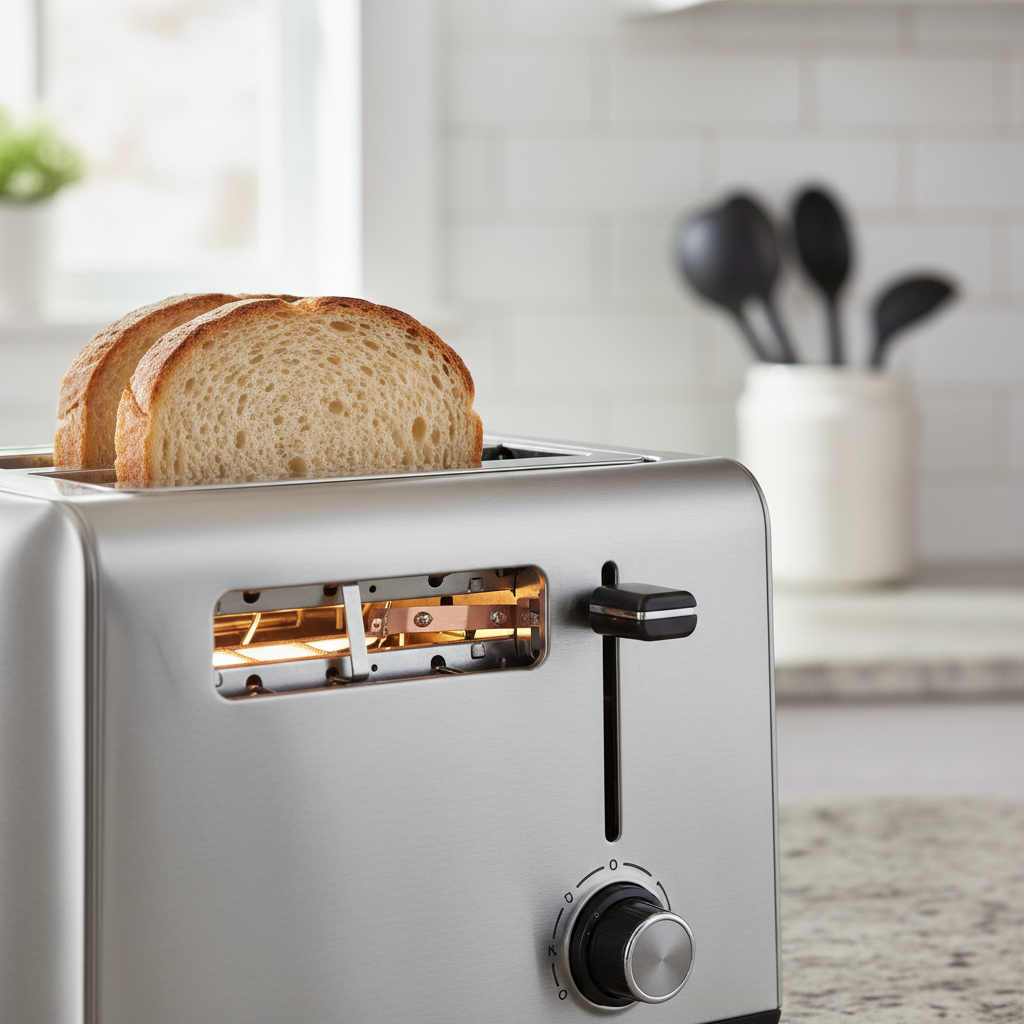
When a toaster only toasts one side of the bread, it's typically because one of the two sets of heating elements inside the slot isn't getting hot. This is rarely a sign of a completely broken appliance. More often, it's caused by a stuck 'bagel' setting, a miscalibrated bimetallic strip thermostat that cuts power too early, or a dirty electrical contact on the carriage mechanism. A thorough cleaning and a simple mechanical adjustment can usually restore even toasting.
The Problem
It’s one of the most deceptively infuriating home appliance failures. You drop two slices of bread into your trusty toaster, press the lever, and wait. A few minutes later, the toast pops up, but you’re greeted with a culinary paradox: one side of each slice is a perfect, golden-brown masterpiece, while the other remains a pale, warm, and floppy imitation of toast. You have half-toasted bread.
Your immediate reaction is to flip it over and toast it again, a frustrating two-step process that risks burning the already-toasted side. It turns a simple, one-minute breakfast into an annoying, multi-stage project. This issue—a toaster that only toasts one side—feels like a fundamental betrayal. An appliance with one primary function is suddenly only doing half its job. It’s not just an inconvenience; it’s a mystery that leaves you wondering whether your appliance is broken or if you’re somehow using it wrong. The good news is that it's often not broken in a way that requires replacement. The cause is frequently a simple, hidden mechanical flaw that you can fix with a little patience and a screwdriver.
How It Works
To understand why your toaster only toasts one side, you need to understand the elegant, century-old technology inside the metal box. When you press the carriage lever, you're doing two things: lowering the bread into the chassis and closing a set of electrical contacts that send power to the heating elements.
These elements are the heart of the machine. They are made of a special wire, typically a nickel-chromium alloy called Nichrome, which has high electrical resistance. When electricity flows through it, this resistance causes the wire to glow red-hot, reaching temperatures of 1,100-1,200°F. These delicate wires are wound around sheets of mica, a heat-resistant mineral, to form grids on either side of the bread slice.
Controlling the toasting time is the job of a timer or thermostat. In classic and many modern pop-up toasters, this is a beautifully simple device: a bimetallic strip. This strip is made of two different metals (like steel and copper) fused together. As the radiant heat from the elements warms the strip, one metal expands faster than the other, causing the entire strip to bend in a predictable curve. The darkness control knob on your toaster adjusts the starting position of this strip; a darker setting means the strip has to bend farther before it acts. When it bends far enough, it physically trips a spring-loaded latch, cutting power to the elements and releasing the carriage. The toast pops up.
This bimetallic strip is often the culprit in one-sided toasting. If it is positioned slightly too close to one set of heating elements, it heats up and bends too quickly, tripping the latch before the other set of elements has had sufficient time to toast the other side of the bread. The 'Bagel' function is another key piece of the puzzle; it works by intentionally shutting off power to one set of elements (usually the outer ones) to toast only the cut side of the bagel. A faulty switch can leave the toaster perpetually stuck in this mode.
Step-by-Step Fix
This guide focuses on the mechanical bimetallic strip adjustment. This repair is feasible for most common pop-up toasters. High-end electronic toasters may have different internal controls.
SAFETY FIRST: Unplug the toaster and wait at least 30 minutes for it to cool down completely. Never attempt to repair a toaster while it is connected to a power source. Internal components can be fragile and have sharp edges.
1. Initial Diagnostics & Cleaning — Before disassembly, check the obvious. Make sure the 'Bagel' or 'Frozen' button isn't stuck in the 'on' position; press it a few times to ensure it moves freely. Turn the toaster upside down over a trash can and gently shake it to dislodge loose crumbs. Open the crumb tray, empty it, and use a small, dry brush (like a new paintbrush or a pastry brush) to clean it thoroughly. Sometimes a large piece of debris can cause a short or interfere with an element.
2. Remove the Outer Housing — Place the cooled-down toaster on a towel on your work surface. Look at the bottom of the appliance. You will typically find four to six Phillips head screws holding the metal or plastic casing to the chassis. The screws may be located under rubber feet, which you can pry off with a small flathead screwdriver. Some toasters, especially those with seamless metal bodies, are held by clips and screws at the ends, near the lever and knobs. You may need to gently pry off the plastic knobs first. Keep all screws in a small dish.
3. Slide Off and Inspect the Casing — Once the screws are removed, the outer shell should slide off the internal chassis. This may require some gentle wiggling. Be methodical and don't force it. Note how the lever and knobs fit through the case so you can reassemble it correctly. Once the casing is off, you'll have a clear view of the internal mechanism. Warning: The edges of the internal metal frame can be very sharp. Consider wearing light work gloves.
4. Conduct a Visual Inspection — With the guts exposed, look for obvious problems. Are there any disconnected wires? Is there a visible burn mark on a circuit board (unlikely, but possible)? Is a piece of a stray bread crust wedged against an electrical contact? Pay close attention to the thin Nichrome heating element wires on the side that isn't working. Are any of them visibly broken, severed, or sagging and touching the metal frame? A broken element is generally not reparable and means the toaster needs to be replaced.
5. Locate the Bimetallic Strip Thermostat — This is the key component. Look near the carriage mechanism and the darkness control knob. You will see a thin, metallic strip, usually about 2-3 inches long and 1/4-inch wide. It will be positioned vertically or horizontally, relatively close to the mica boards that hold the heating elements. When the toaster is on, this strip is what gets hot and bends to trip the pop-up mechanism.
6. Diagnose the Imbalance — The core theory of this fix is that the bimetallic strip is physically too close to the set of heating elements that are working. This makes it heat up and trip the circuit prematurely, before the non-working side has a chance to do its job. The working side essentially short-circuits the toasting cycle for the non-working side.
7. The Adjustment: Gently Bend the Strip — Using a pair of needle-nose pliers, carefully and gently grasp the bimetallic strip. The goal is to bend it very slightly away from the heating elements it's closest to, or toward the center of the toaster's chassis. We are talking about a minuscule adjustment—a millimeter or two at most. You want to increase the distance between the strip and the hot elements, forcing it to take longer to heat up and bend. Be extremely gentle. This strip can be brittle. A small, controlled tweak is all that's needed.
8. Inspect the Carriage Power Contacts — Follow the lever mechanism down to the base. When the carriage is locked down, it presses on one or more sets of metal contacts, closing the circuit. Look at these contacts. Are they blackened, pitted, or corroded? If one set of contacts is dirty, it may not be delivering power to its corresponding heating element. You can clean these contacts by carefully rubbing them with a small piece of fine-grit sandpaper (600-grit or higher) or an emery board. Blow away any residue with compressed air.
9. Reassembly and a Cautious Test Run — Carefully slide the housing back onto the chassis, ensuring the lever and knobs align with their holes and that no wires are pinched between the chassis and the outer case. Secure it with the screws. Place the toaster in a clear, open area, away from any flammable materials. Plug it in and run one toasting cycle without any bread. Watch, listen, and smell for anything unusual like sparks or the smell of burning plastic. If anything seems wrong, unplug it immediately.
10. The Test Toast — If the empty run was successful, it's time for the moment of truth. Insert bread and toast it on a medium setting. Check the results. Is the toasting more even? It’s possible it may now be slightly under- or over-toasted on both sides. This is a good sign! It means your adjustment worked, and now you just need to dial in the darkness knob to your preference. If it's still uneven, you may need to repeat the process and make a second, smaller adjustment to the strip.
Common Causes
- Miscalibrated Bimetallic Strip: By far the most common cause in non-electronic toasters. The strip's factory position is off, or it has shifted over time, causing it to trip too early.
- Stuck 'Bagel' Setting: The simplest problem to fix. The switch that deactivates one set of elements is stuck, either mechanically or electrically.
- Dirty Carriage Contacts: The switch that powers the elements isn't making a clean connection for one side due to carbon buildup or dirt.
- Heavy Crumb Buildup: A dense accumulation of crumbs on one side can act as an insulator, preventing the Nichrome wires from radiating heat effectively to the bread surface.
- Broken Element Wire: The Nichrome wire on one side has snapped. This creates an open circuit, and no electricity can flow. This is typically not repairable and requires toaster replacement.
- Failed Control Board Component: In digital toasters, a relay, soldier joint, or other component on the printed circuit board (PCB) that controls power to one set of elements may have failed.
Common Mistakes
- Forgetting to Unplug: The number one rule. You must disconnect the appliance from power before doing any work. It's a significant shock hazard.
- Using Metal Inside: Never use a knife or fork to retrieve stuck toast, especially when plugged in. This can cause electrocution or damage the delicate heating elements.
- Over-Bending the Thermostat Strip: The bimetallic strip is sensitive. Bending it too aggressively can permanently deform or break it, ruining the toaster's timing mechanism entirely.
- Pinching a Wire on Reassembly: When putting the case back on, it's easy to pinch a wire between the metal frame and the outer shell. This can sever the wire or, worse, create a short circuit and a fire hazard.
- Losing Screws and Small Parts: Work in a clean, organized space. Use a magnetic tray or small bowl to keep track of all screws, clips, and rubber feet.
- Not Waiting for It to Cool: The internal components, especially the elements, get extremely hot. Attempting to work on a hot toaster will result in burns.
Cost & Time Breakdown
Repairing a toaster is almost always a DIY job, as professional repair is not economical.
| Task | DIY Cost | Pro Cost | Time |
|---|---|---|---|
| Initial Inspection & Deep Cleaning | $0 | N/A | 15-20 minutes |
| Bimetallic Strip Adjustment | $0 | N/A | 45-60 minutes |
| Contact Switch Cleaning | $0 - $10 (for sandpaper/cleaner) | N/A | 45-60 minutes |
| Testing and Fine-Tuning | $0 | N/A | 10 minutes |
| Total Project | $0 - $10 | N/A | ~1 Hour |
| Replacement Toaster Purchase | $30 - $150 | N/A | 30 mins (shopping) |
Tips & Prevention
- Empty the Crumb Tray Regularly: Don't wait for it to overflow. Make it a habit to empty the tray weekly to prevent buildup.
- Give it a Monthly Shake-Out: Unplug the toaster and, over a sink or trash can, turn it upside down and gently shake it to dislodge crumbs from the inner chassis.
- Avoid Sugary or Greasy Items: Never toast things with frosting, cheese, or heavy butter coatings. These can drip into the mechanism, creating a fire hazard and gumming up the works.
- Use Canned Air: For a deeper clean without disassembly, a can of compressed air can be used (while unplugged and cool) to blow out stubborn crumbs from the interior.
- Don't Jam It: Forcing oversized slices of artisan bread or thick bagels can damage the carriage guides and heating elements. If it doesn't fit easily, don't toast it.
When to Call a Professional
Frankly, you don't. For a common household appliance like a toaster, which typically costs between $30 and $100, there is no scenario where hiring a professional repair service is cost-effective. A repair technician's minimum bench fee or service call charge (often $75-$125) would immediately exceed the replacement cost of a brand-new toaster. Appliance repair shops focus on large, expensive appliances like refrigerators and ovens; they generally do not service small items like toasters, blenders, or coffee makers.
Therefore, the decision tree is simple. If the cleaning and adjustment steps outlined in this article do not solve the one-sided toasting problem, it signifies a more serious failure, such as a broken heating element or a faulty electronic control board. At that point, the correct and most economical course of action is to recycle the old toaster and purchase a new one.
Immediately replace your toaster if you observe any of the following serious safety issues:
- A frayed or damaged power cord.
- Visible sparks during operation.
- The smell of burning plastic or ozone.
- The outer casing becomes excessively hot to the touch.
Related Articles
Keep troubleshooting with these hand-picked guides from FixlyGuide:
- Refrigerator Not Cooling but Freezer Works: 6 DIY Fixes — When the freezer is fine but the fridge is warm, the cause is almost always airflow — not refrigerant. Here are the 6 fixes, ordered from f…
- Why Your Microwave Sparks and How to Prevent a Fire — A sparking microwave is alarming, but often an easy fix. Discover the common causes of microwave arcing, from forgotten forks to hidden dam…
- Why Did Just One Electric Stove Burner Stop Working? — It's a common kitchen puzzle: one electric stove burner suddenly quits while the others work perfectly. We dive into the simple, independen…
- Why Your Dishwasher Leaves Dishes Wet (And How to Fix It) — If your dishwasher leaves dishes wet after a cycle, it's a common and frustrating problem often caused by issues with rinse aid, loading, o…
- The #1 Mistake Homeowners Make When Their Dryer Isnt Drying (And How to Fix It Free) — Most homeowners assume a slow dryer means a broken dryer, but the most common culprit is a simple, often overlooked maintenance issue that'…
- The 4 Hidden Reasons Your Doorbell Dies (And the 20-Minute Fix) — A non-working doorbell is often caused by simple, hidden issues like a tripped transformer or a corroded button, which homeowners can fix i…
Frequently asked questions
Why did my new toaster start toasting only one side?+
It could be a manufacturing defect in the thermostat's calibration or a faulty setting. Check the 'bagel' function first. If it's a new, high-end toaster, contact the manufacturer for a warranty claim before attempting any disassembly, which could void the warranty.
Is it safe to fix a toaster myself?+
It is safe ONLY if you unplug it first and let it cool completely. Never work on a plugged-in toaster. The internal components can be delicate, so work carefully. If you see signs of melting plastic or a frayed cord, do not attempt a repair; recycle the appliance and replace it.
Can a dirty toaster really cause uneven toasting?+
Yes. A large buildup of crumbs can create a fire hazard and also interfere with the heating elements. Debris can physically block the nichrome wires from radiating heat effectively or create a short circuit that prevents one side from heating properly.
What if my toaster has a digital screen?+
Digital toasters often use an electronic timer (an RC circuit on a control board) instead of a mechanical bimetallic strip. While the cause of one-sided toasting is the same (one set of elements isn't getting power), the fix is different and more complex. It could be a failed relay or a bad solder joint on the board. For most DIYers, this is not a practical repair.
Discussion
Loading comments…