Tools & materials you'll need
Affiliate linksAs an Amazon Associate FixlyGuide earns from qualifying purchases — at no extra cost to you. Prices and availability are accurate as of publication and subject to change.
Quick Answer
A warm light switch is often normal, especially if it's a dimmer. Dimmers work by converting excess electrical energy into heat. However, if a standard switch is warm, or any switch is uncomfortably hot, discolored, or makes buzzing sounds, it likely indicates a dangerous loose wire or a faulty switch, which is a serious fire hazard that requires immediate attention.
The Problem
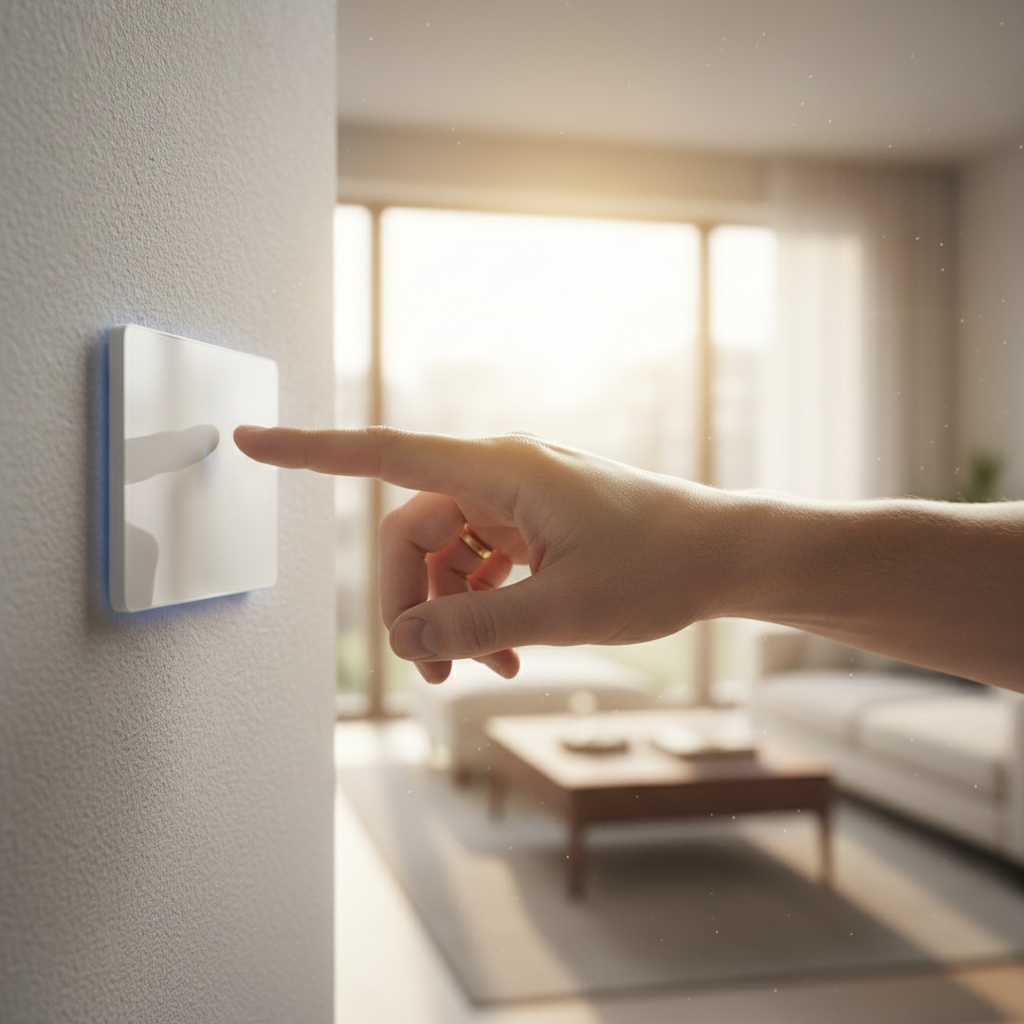
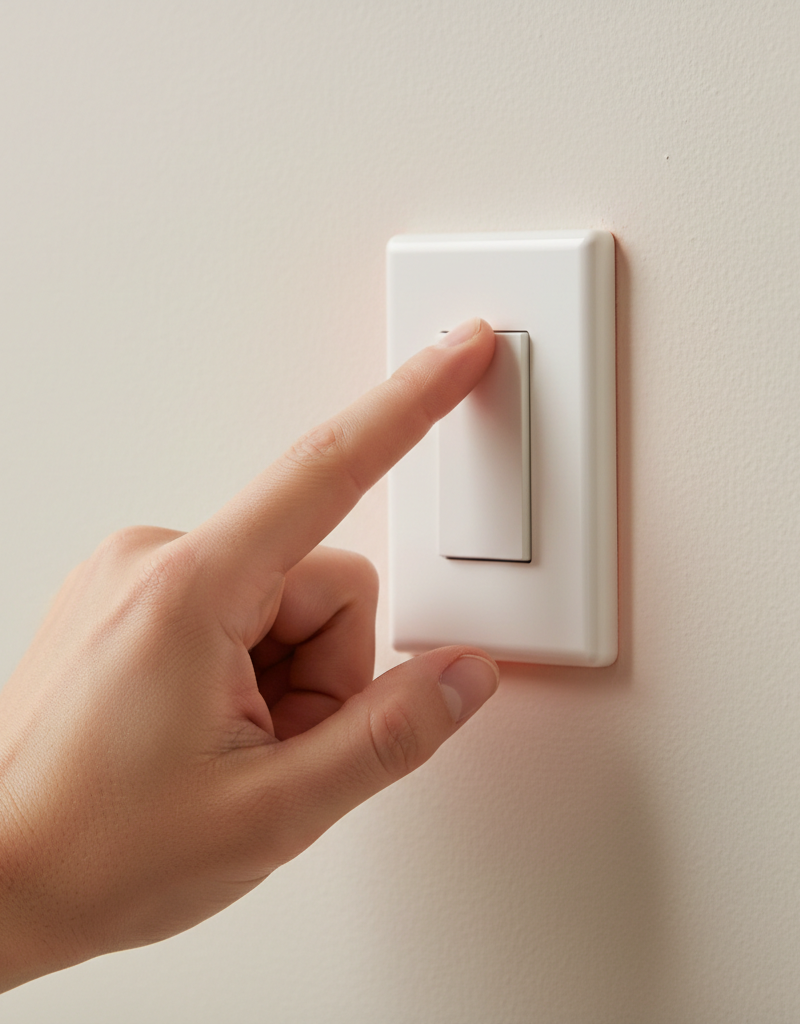
You reach to turn on a light and leave your hand on the switch for a moment. You notice it’s distinctly warm, maybe even hot. An immediate sense of unease creeps in. Is this normal? Has it always been this way? Is there a fire brewing inside my wall? This is a common and legitimate concern for any homeowner. A simple light switch is something we use every day without a second thought, and when it behaves unexpectedly, it’s hard to ignore.
The critical distinction is between "pleasantly warm" and "uncomfortably hot." A dimmer switch under load will almost always feel slightly warm to the touch; this is part of its normal operation. A smart switch, with its internal Wi-Fi and processors, will also generate a small, consistent amount of heat. However, a standard on/off toggle switch should feel cool. When any switch—dimmer or standard—is hot to the touch, makes crackling or buzzing sounds, is discolored, or if the connected lights flicker, you are no longer in the "normal" range. You are dealing with a potential electrical hazard that requires immediate investigation. This guide will walk you through understanding the causes, diagnosing the problem, and executing a safe fix.
How It Works
To understand why a light switch feels warm, you need to know how different types of switches handle electricity. They aren’t all simple on/off gates.
-
Standard Toggle Switches: A basic switch is a mechanical device. When you flip it on, it closes a circuit, allowing electrical current to flow uninterrupted to the light fixture. When you flip it off, it creates a physical air gap, breaking the circuit. In a properly functioning, correctly wired standard switch, the electrical resistance is incredibly low. Because of this low resistance, almost no energy is lost as heat. A standard switch should therefore always feel cool to the touch. If it feels warm, it means there’s unwanted resistance somewhere—either inside the switch itself or, more commonly, at the wire connections.
-
Dimmer Switches: This is the most common source of a warm light switch. A dimmer functions by rapidly turning the light circuit on and off (120 times per second). To dim the lights, it shortens the amount of time the circuit is "on" during each cycle. This process of interrupting the electrical flow isn’t perfectly efficient. The internal component that does this work, usually a TRIAC (Triode for Alternating Current), dissipates the excess energy it restricts as heat. This is by design. A dimmer switch is essentially a small, controlled resistor. UL-listed dimmers are built with heat sinks (the metal fins you see on the sides) and are tested to operate safely at these temperatures, which can be warm enough to be noticeable but should never be too hot to comfortably touch for a few seconds. The more lights (higher wattage) a dimmer controls, the warmer it will feel.
-
Smart Switches: Modern smart switches are more complex. They contain microprocessors, radio transmitters (Wi-Fi, Z-Wave, Zigbee), and relays. These components are always drawing a small amount of power to stay connected to your network and listen for commands. This constant, low-level power consumption generates a small but persistent amount of heat, meaning a smart switch will often feel slightly warm to the touch, even when the lights are off. This is perfectly normal and is not a cause for concern.
-
The Danger: Heat from Arcing: The hazardous heat comes from a phenomenon called an electrical arc. If a wire connected to a switch is loose, the electrical current may have to "jump" a microscopic gap between the wire and the switch terminal. This jump is an arc, an intensely hot spark of electricity that can reach thousands of degrees Fahrenheit. This extreme heat scorches the surrounding plastic, melts wire insulation, and can easily ignite wood lath, drywall paper, or insulation inside the wall, causing a house fire. This is why a hot switch, especially one that crackles or buzzes, is an emergency.
Step-by-Step Fix: Inspecting and Replacing a Warm Light Switch
This guide will walk you through the process of diagnosing and, if necessary, replacing a switch that feels too warm. This is a job that a confident DIYer can handle, but it requires absolute adherence to safety procedures. If you are ever in doubt, call a licensed electrician.
1. Safety First: Turn Off the Power — Before you even touch a screwdriver, go to your home's main electrical panel (breaker box). Locate the breaker that controls the circuit for the switch you're working on. It might be labeled "Living Room Lights," "Master Bedroom," or similar. Firmly flip the breaker to the "OFF" position.
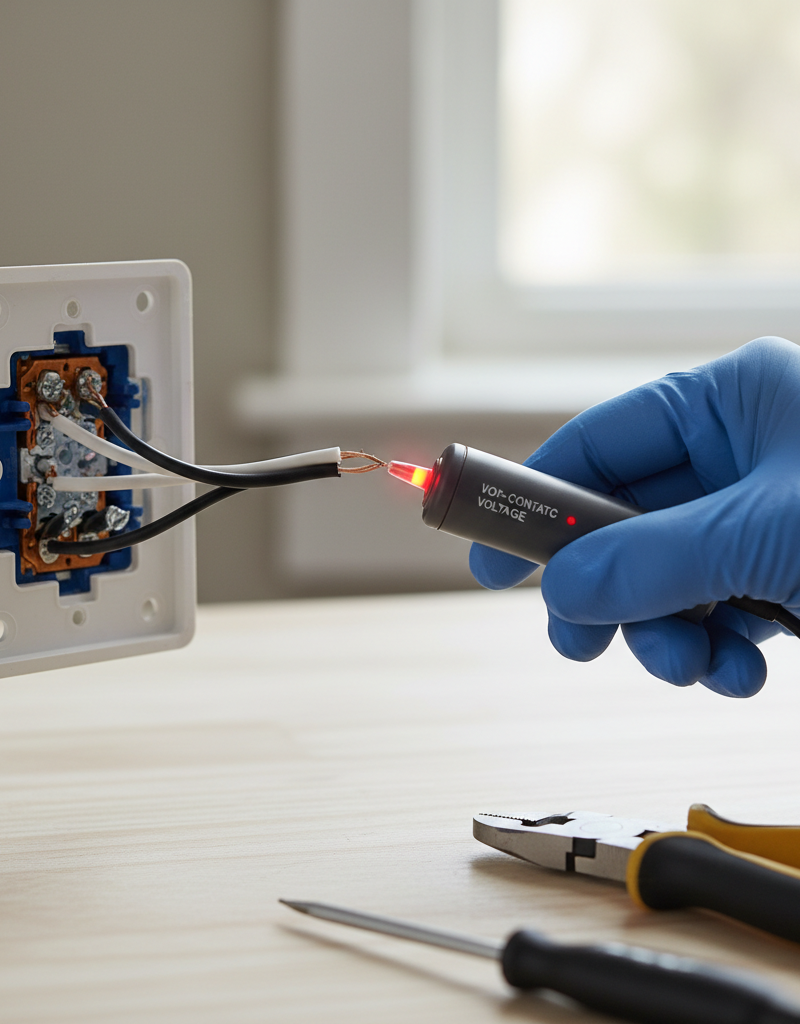
2. Confirm the Power is Off — This is the most critical step. Go back to the light switch and flip it a few times to ensure the light it controls does not turn on. For absolute certainty, use a non-contact voltage tester. Simply hold the tip of the tester near the switch and its screws. If the tester remains silent and does not light up, the power is off and it’s safe to proceed. If it beeps or flashes, do not proceed; you have the wrong breaker.
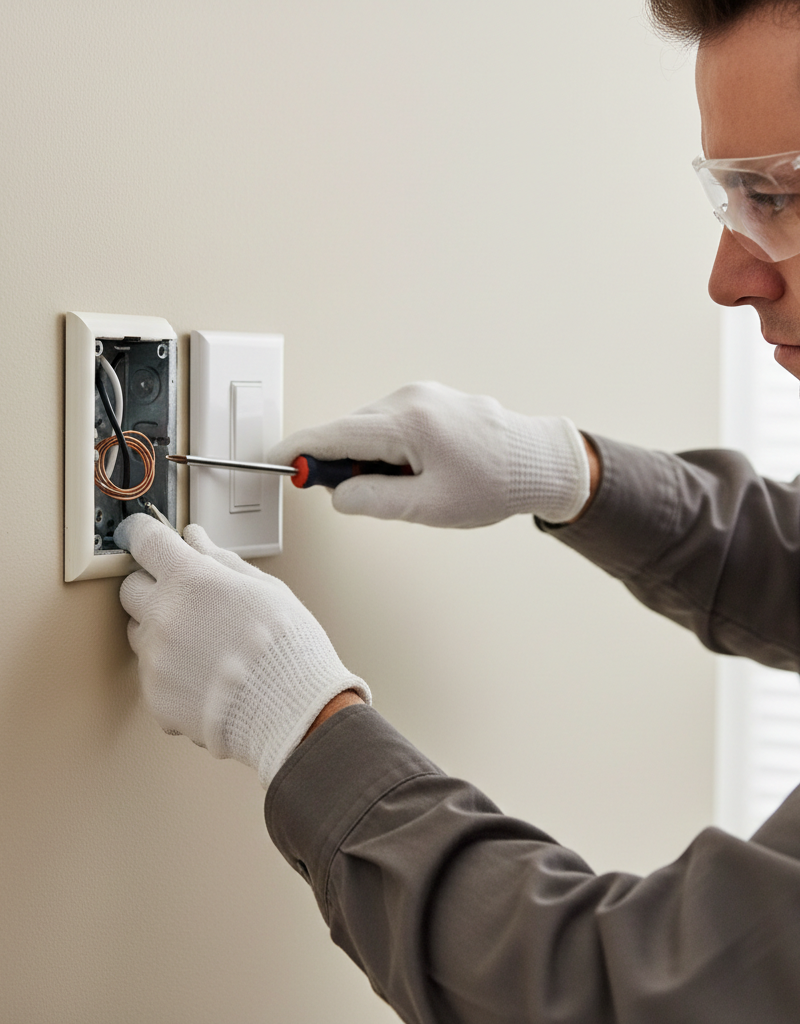
3. Remove the Switch Faceplate — Using a flathead or Phillips screwdriver, remove the one or two small screws holding the decorative faceplate on. Set the plate and its screws aside in a safe place. This will expose the switch itself, mounted in the electrical box with two more screws.
4. Unscrew the Switch from the Box — There will be a screw at the top and a screw at the bottom of the switch's metal mounting strap (yoke). Using your screwdriver, fully unscrew both of these. They hold the entire switch assembly inside the wall box. Be careful not to let the switch fall back into the wall once it's free.
5. Gently Pull the Switch Out — Carefully grip the switch by its top and bottom tabs and pull it straight out of the electrical box. The wires will still be attached. Pull it out far enough so you have clear access to the terminal screws on the sides and the back of the switch.
6. Visually Inspect for Trouble — This is your key diagnostic step. Look closely at the switch and the wiring. Are there any black or brown scorch marks on the switch body? Does the plastic look melted or warped? Is there a smell of burnt plastic? Do the wire insulation ends look charred or brittle? Any of these are clear signs of dangerous overheating and arcing. The switch is faulty and must be replaced.
7. Check the Wire Connections — Most overheating is caused by loose wires. Gently tug on each wire connected to a terminal screw. It should be completely solid and unmoving. If you can wiggle a wire, it's loose, and you’ve likely found your problem. Also, check if wires are pushed into small holes in the back of the switch ("backstabbing"). These push-in connections are notoriously prone to failure and loosening over time. If you have backstabbed wires, you should move them to the more secure screw terminals.
8. The Fix: Secure Loose Wires or Replace the Switch — If a wire is loose: Turn the terminal screw counter-clockwise to release it. If the wire end looks damaged or scorched, use wire cutters to snip off the damaged portion. Using a wire stripper, remove about 3/4 inch of insulation from the wire. Using needle-nose pliers, bend the bare wire into a C-shaped hook. Hook this around the terminal screw in a clockwise direction—this ensures that tightening the screw also tightens the wire loop. Tighten the screw down firmly. — If the switch is damaged or you're upgrading: Purchase a new switch with the same or higher amperage and wattage rating. Transfer the wires from the old switch to the new one, one at a time, to avoid confusion. The bare copper or green wire goes to the green ground screw. The other two wires (usually black or red) go to the two brass or black screws (on a simple switch, their position doesn't matter). Double-check that all connections are tight.
9. Carefully Re-install the Switch — Gently fold the wires back into the electrical box in an accordion or "S" shape. Do not just jam them in, as this can loosen connections. Push the new switch into the box, align it, and secure it with the top and bottom mounting screws. Ensure it's straight before fully tightening.
10. Reattach the Faceplate and Restore Power — Screw the decorative faceplate back on, being careful not to overtighten and crack it. Now, you can return to the breaker box and flip the circuit breaker back to the "ON" position.
11. Test Your Work — Operate the switch. Ensure the lights turn on and off (or dim) correctly. Most importantly, leave the light on for 15-20 minutes. Check the switch again. A new dimmer controlling a heavy load will still feel warm, but it should not feel hot. A standard switch should now be cool. If the problem persists, turn the power back off and call a professional electrician immediately.
Common Causes
- Normal Dimmer Function: As explained, dimmers are designed to get warm while operating. This is the most frequent and least worrying cause.
- Overloaded Switch or Dimmer: Every switch has a maximum rating. A standard switch is typically rated for 15 amps. A dimmer has a wattage rating, such as 600W or 1000W. If you try to control too many lights (e.g., 8 recessed lights with 100W bulbs = 800W) with a 600W dimmer, you will overload it, causing it to overheat dangerously.
- Loose Wire Connections: This is the most common dangerous cause. A wire not securely fastened under a terminal screw creates high resistance and arcing, generating intense heat.
- Failing "Backstab" Connections: The push-in wire connections on the back of cheaper switches are a common point of failure. The internal spring clips can weaken, creating a poor connection that leads to arcing and heat.
- Faulty Switch: The internal mechanical or electronic components of the switch itself can wear out and fail, creating internal resistance and heat. This is common in older or low-quality switches.
- Incorrect Switch for the Load: Using an old incandescent-only dimmer with modern LED or CFL bulbs can cause flickering, buzzing, and overheating. You need a dimmer specifically rated for LED/CFL use.
Common Mistakes
- Ignoring the Warning Signs: Believing that a hot, buzzing, or discolored switch is "probably fine." These are clear indicators of a fire hazard that must be addressed immediately.
- Forgetting to Kill the Power: Attempting to work on a switch without turning off the breaker is extremely dangerous and can result in severe electrical shock or electrocution.
- Mismatching Dimmers and Bulbs: Installing dimmable LED bulbs is only half the battle. You must also use a dimmer switch that is specifically designed for LEDs (often labeled "CFL/LED" or "ELV/MLV").
- Overloading the Dimmer: Failing to calculate the total wattage of all bulbs connected to a dimmer switch. Always stay below the dimmer's maximum rated wattage.
- Relying on Backstab Connections: When installing a new switch, experienced electricians always use the more reliable and secure screw terminals, even if push-in connections are available.
- Not Tightening Terminals Enough: A "good enough" connection isn't. The screw terminals must be tightened down firmly to ensure a secure, low-resistance connection that won't generate heat.
Cost & Time Breakdown
| Task | DIY Cost | Pro Cost | Time |
|---|---|---|---|
| Visual Inspection & Tightening Wires | $0 - $15 (for a voltage tester) | $100 - $200 (for service call) | 15-30 minutes |
| Replacing a Standard Light Switch | $3 - $20 (switch + tester) | $125 - $250 | 30-45 minutes |
| Replacing a Dimmer Switch | $20 - $60 (dimmer + tester) | $150 - $300 | 30-45 minutes |
| Electrician Diagnostic Call | N/A | $75 - $150 (initial fee) | 1 hour |
Tips & Prevention
- Calculate Your Load: Before installing a dimmer, add up the total wattage of the bulbs it will control. Ensure this number is less than the dimmer's maximum rating (e.g., stay under 600W for a 600W dimmer).
- Choose the Right Dimmer: When using dimmable LEDs, always pair them with a compatible LED-rated dimmer to prevent flickering, buzzing, and reduce heat.
- Always Use Screw Terminals: When installing any switch or outlet, take the extra minute to wrap the wire around the side screw terminals. This creates a far more durable and safe connection than the "backstab" push-in holes.
- Perform an Annual Check: Once a year, make a point to feel the switches in high-use areas of your home. Pay special attention to dimmers and any switches controlling heavy loads. You're checking for changes, especially switches that have become noticeably hotter.
- Don't Ignore Buzzing or Flickering: These are often audible or visible signs of the same problem causing your warm light switch—a poor electrical connection. Investigate immediately.
- Trust Your Senses: If a switch smells of ozone or burnt plastic, or is too hot to comfortably hold your finger on, it has moved beyond a simple problem. This is a clear danger sign; call an electrician right away.
When to Call a Professional
A warm light switch can range from a harmless quirk to a serious fire hazard. You should call a licensed electrician immediately if you encounter any of the following red flags:
- The switch is uncomfortably hot, not just warm.
- You see any discoloration, charring, or melting on the switch or faceplate.
- You hear any buzzing, crackling, or sizzling sounds from the switch.
- You smell burning plastic or ozone near the switch.
- The lights connected to the switch flicker or dim on their own or when you touch the switch.
- You have aluminum wiring in your home (it requires special handling).
- You perform the inspection detailed above and are uncomfortable or uncertain about any step.
The cost of a service call is negligible compared to the risk of an electrical fire. When dealing with these clear warning signs, professional diagnosis and repair are non-negotiable for your safety.
Frequently asked questions
Is it normal for a dimmer switch to be warm?+
Yes, it is perfectly normal for a dimmer switch to feel warm to the touch. They work by dissipating excess electrical energy as heat. However, it should only feel warm, not uncomfortably hot. If it's too hot to touch or is discolored, it indicates a problem like overloading or a loose wire.
Why is my light switch making a buzzing sound?+
A buzzing light switch usually indicates a poor electrical connection. This could be a loose wire at the terminal screw, a failing internal component, or an incompatibility between a dimmer and an LED bulb. Because loose wires can cause dangerous arcing, any buzzing switch should be investigated immediately.
Can a warm light switch cause a fire?+
Yes. While warmth from a dimmer is normal, warmth from a standard switch is not. If the heat is caused by a loose wire connection, it can lead to electrical arcing. This arcing is intensely hot and can easily ignite surrounding materials like plastic, wire insulation, and wood framing, making it a serious fire hazard.
My warm light switch has old, backstabbed wires. Is that a problem?+
It can be. The spring-loaded contacts in "backstab" connections can weaken over time, creating a loose connection that generates heat. Best practice is to move the wires from the backstab holes to the more secure screw terminals on the side of the switch.
Discussion
Loading comments…