Tools & materials you'll need
Affiliate linksAs an Amazon Associate FixlyGuide earns from qualifying purchases — at no extra cost to you. Prices and availability are accurate as of publication and subject to change.
Quick Answer
A hot light switch is a warning sign that shouldn't be ignored. It's often caused by an overloaded circuit, loose or corroded wire connections increasing electrical resistance, or a faulty switch itself. Identifying and rectifying the issue quickly is essential to prevent potential fire hazards, electrical damage, and ensure the safety of your home's electrical system.
The Problem
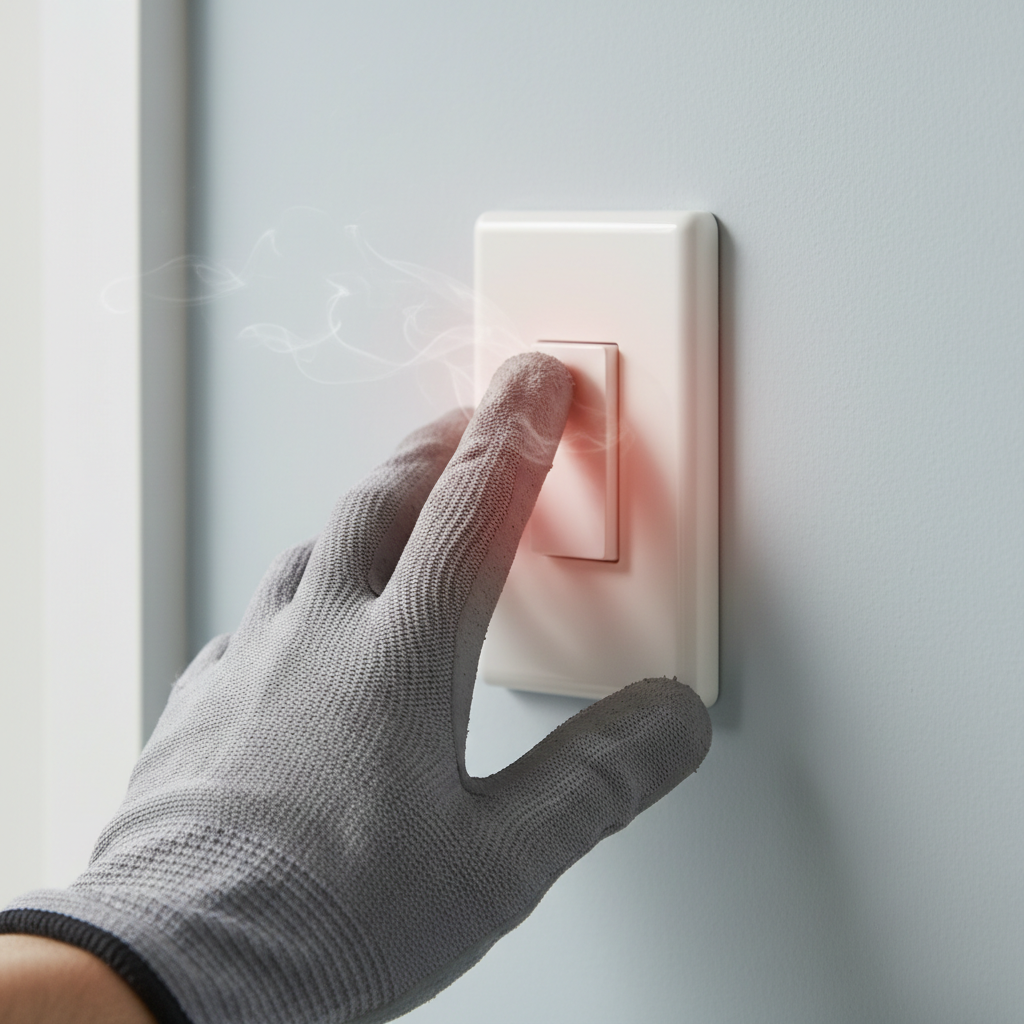
Imagine reaching for a light switch, perhaps to illuminate a dimly lit room, and feeling an unexpected warmth – or even a distinct heat – emanating from the toggle or plate. This isn't just an odd occurrence; it's your electrical system trying to communicate a serious issue. A hot light switch indicates that something is amiss within the electrical current flow, the connections behind the plate, or in the integrity of the switch itself. Ignoring this problem can lead to further electrical damage, flickering lights, tripping breakers, and, in the worst-case scenario, an electrical fire.
This article will guide you through diagnosing the most common reasons your light switch is getting hot, from overloaded circuits and loose wiring to faulty switches. We'll provide clear, step-by-step instructions for safely troubleshooting and addressing these issues, empowering you to maintain a safe and functional electrical system in your home. Remember, while many of these fixes are within the realm of a competent DIYer, always prioritize safety and know when it's time to call a licensed professional.
How It Works
Understanding how a light switch operates provides valuable context for troubleshooting why it might be overheating. At its core, a light switch is a simple mechanical device designed to complete or break an electrical circuit. When you flip the switch to the 'on' position, internal contacts close, allowing electricity to flow from your home's main electrical panel, through the switch, to the light fixture, and back to the panel via the neutral wire, completing the circuit. In the 'off' position, these contacts open, interrupting the flow of electricity.
Electricity flows much like water through a pipe. If the pipe is too narrow, or if there's a kink or obstruction, the water flow is restricted, leading to pressure buildup. Similarly, in an electrical circuit, resistance impedes the flow of electrons. Resistance generates heat. Every component in an electrical circuit – wires, connections, and the switch itself – has an inherent resistance. Under normal operating conditions, this resistance is minimal, and the heat generated is negligible and dissipates easily. However, when things go wrong, this resistance can increase significantly. For example, a loose wire connection acts like a bottleneck, forcing electrons through a smaller contact point, creating friction and substantial heat. An overloaded circuit means too much current is trying to pass through wires or a switch designed for a lower capacity, leading to excessive heat generation. Even a switch itself can fail, with internal components degrading and creating greater resistance over time, manifesting as heat.
Step-by-Step Fix
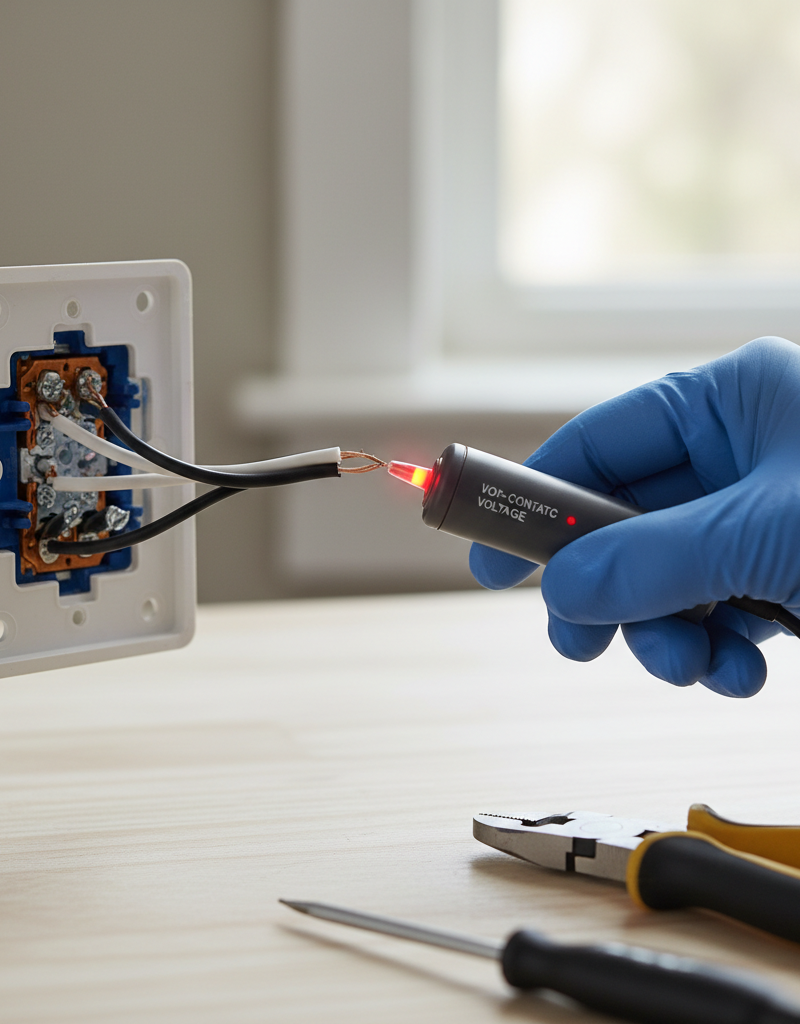
SAFETY FIRST: Before attempting ANY electrical work, always turn off the power to the affected circuit at your home's main electrical panel. Use a non-contact voltage tester to confirm the power is off at the switch before proceeding.
Step 1 – Identify the Affected Circuit and Turn Off Power
— Locate your home's electrical panel and identify the circuit breaker that controls the hot light switch. If your breakers aren't clearly labeled, you may need to systematically turn off breakers until the light controlled by the hot switch goes out. Once identified, flip the breaker to its 'OFF' position. * Safety Note: Always double-check by attempting to turn the light on after flipping the breaker. Use a non-contact voltage tester (NCVT) on the switch itself to confirm there's no power.
Step 2 – Remove the Switch Plate and Inspect
— Carefully unscrew the light switch cover plate and set it aside. Then, gently pull the switch out from the electrical box, being careful not to tug on the wires. You should now be able to see the wiring connections. * Tool: Screwdriver (Phillips or flathead, depending on screw type).
Step 3 – Check for Loose Wire Connections
— Visually inspect all wire connections to the switch. Look for any wires that appear loose, frayed, or poorly seated. Gently tug on each wire to ensure it is secure. Wires should be firmly wrapped around screw terminals in a clockwise direction (so tightening the screw further secures the wire) or fully inserted into back-stab terminals. * If loose: For screw terminals, carefully tighten the screws. If using back-stab connections, it's highly recommended to move the wire to a screw terminal instead, as back-stabs are notorious for loosening over time and causing heat issues. To remove a back-stab wire, push a small flathead screwdriver into the slot next to the wire while pulling the wire out. Then strip the wire (if necessary) and attach it to a screw terminal. * Pro Tip: If a wire shows signs of burning or charring, cut off the damaged section, strip a fresh section of insulation (about 1/2 to 3/4 inch), and reconnect. This might require a wire stripper.
Step 4 – Examine for Signs of Overload and Corrosion
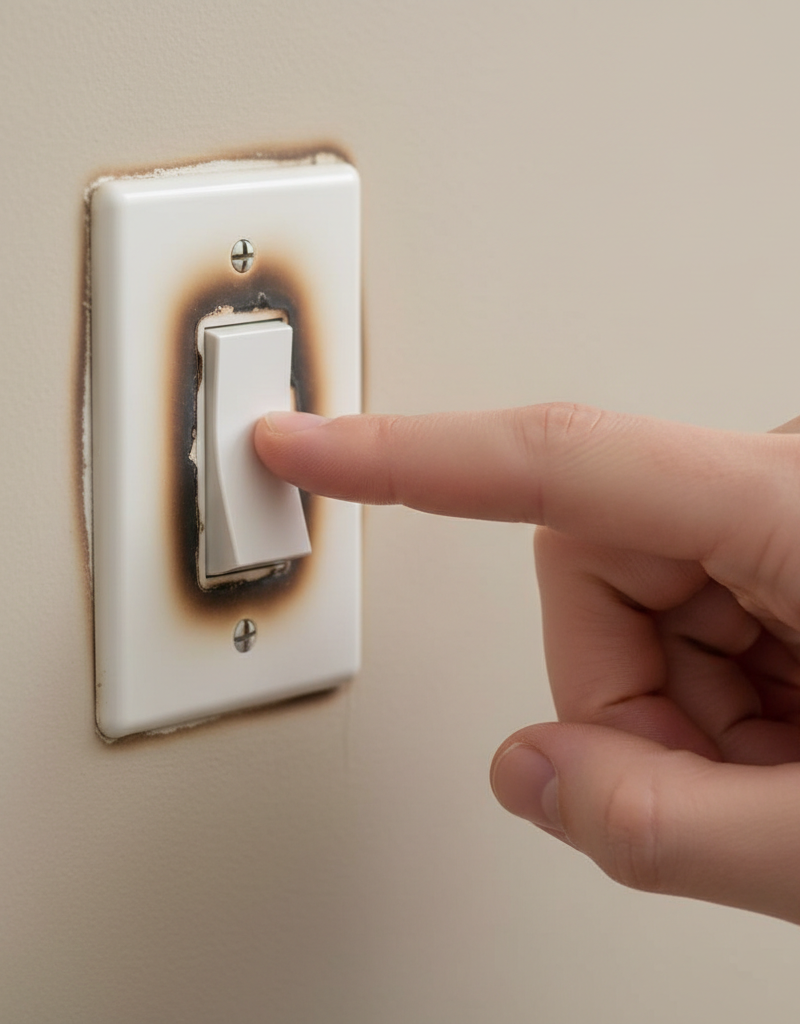
— Look for any discoloration, melted plastic, or burnt smells around the wires or the switch body. These are strong indicators of prolonged overheating, often due to an overload or a poor connection. Also, check for any green or white powdery residue, which indicates corrosion, another source of resistance. * If signs of burning/melting: This suggests a serious problem. The switch is likely faulty and the circuit may be overloaded. It's best to replace the switch (Step 6) and investigate the circuit load (Step 5). * If corrosion: Carefully clean the corroded wire ends using fine-grit sandpaper or a wire brush. Cut off and re-strip the wires if corrosion is extensive.
Step 5 – Assess Circuit Load (Identify Overload)
— A major cause of overheating is an overloaded circuit. Consider everything that is connected to the same circuit as the hot light switch. Are there many high-wattage devices (e.g., space heaters, hair dryers, several high-wattage lamps) plugged into outlets on that circuit? * Action: Unplug some high-draw appliances from that circuit. Test the switch again. If the switch remains cool, you've likely identified an overload. Redistribute appliances to other circuits or consider a dedicated circuit for high-draw items (professional electrician needed). * Diagnostic: Hot switches are more common on circuits with many lights or a combination of lights and convenience receptacles. Consider the total wattage of all bulbs connected to that switch. If it's a dimmer switch, ensure it's rated for the total wattage of the lights it controls (including LED compatibility).
Step 6 – Replace the Faulty Switch (If Necessary)
— If connections are secure and the circuit isn't overloaded, the switch itself is likely faulty. Over time, internal contacts can degrade, leading to increased resistance and heat. Most standard light switches cost less than $5-$10. * Purchase: Buy a new switch of the same type (single-pole, 3-way, 4-way, dimmer) and amperage rating (usually 15A or 20A) at a hardware store. * Installation: Disconnect the old switch's wires, noting which wire goes to which terminal (taking a picture helps). Connect the wires to the new switch in the exact same configuration. Ensure all connections are tight and secure. For standard switches, typically there will be two black wires (hot in and switch leg out) and a bare copper or green wire (ground). Three-way switches will have more terminals, including 'common' and 'travelers'.
Step 7 – Reassemble and Test
— Carefully push the new or reconnected switch back into the electrical box. Screw the switch securely to the box, then replace the cover plate. Turn the power back on at the circuit breaker. Test the light switch for proper operation and check for any remaining warmth. * Residual Warmth: A very slight warmth in the ambient temperature is normal for some electrical devices, especially dimmers, but it should never be hot to the touch.
Common Causes
- Loose Wire Connections: This is arguably the most common culprit. Over time, or due to improper initial installation, wire connections at the switch terminals can loosen. A loose connection creates increased resistance as electricity tries to bridge the gap, generating significant heat. This also includes back-stab connections becoming loose.
- Overloaded Circuit: The switch and its associated wiring are designed to safely handle a certain amount of electrical current (amperage). If too many high-wattage devices are drawing power from the same circuit, the switch can overheat as it tries to pass more current than it's rated for. This often happens if a light circuit also has outlets powering appliances.
- Faulty or Worn-Out Switch: Like any mechanical device, light switches have a lifespan. Internal components, particularly the metal contacts, can wear down, become pitted, or corrode over time. This degradation increases internal resistance within the switch, leading to excessive heat generation.
- Incorrect Switch Type or Rating: Using a switch that is not rated for the amperage of the circuit or the type of load (e.g., using a standard switch for high-wattage fluorescent lights without the proper ballast) can cause it to overheat. Dimmers not rated for LED lights, or incandescent dimmers with too many lights, are common examples.
- Incorrect Wiring: Though less common with an existing setup that suddenly gets hot, incorrect wiring (e.g., a hot and neutral wire accidentally shorting, or a ground fault) can cause significant issues and heat.
Common Mistakes
- Ignoring the Heat: The biggest mistake homeowners make is ignoring a warm or hot light switch. It's a critical warning sign of a potential fire hazard. Always investigate promptly.
- Not Turning Off Power: Attempting to work on a light switch without properly turning off the power at the breaker is extremely dangerous. Always confirm power is off with a non-contact voltage tester.
- Over-Tightening or Under-Tightening Wire Screws: Connections that are too loose will cause resistance and heat. Connections that are over-tightened can damage the wire or the switch terminal, leading to a poor connection and eventual heat. Wires should be wrapped clockwise around the screw and tightened firmly.
- Using Back-Stab Connections: While convenient for quick installation, back-stab connections (where a wire is simply pushed into a small hole on the back of the switch) are notorious for loosening over time and causing resistance and heat. Always use the screw terminals if available.
- Assuming it's just the switch: While the switch plays a role, often the underlying cause is an overloaded circuit or loose wiring elsewhere. Merely replacing a switch without addressing the root cause will likely lead to the new switch also overheating.
- Not Checking for Circuit Load: Failing to consider all items drawing power from the affected circuit overlooking a potential overload. Unplug high-draw items and test before replacing components.
Cost & Time Breakdown
| Task | DIY Cost | Pro Cost | Time |
|---|---|---|---|
| Diagnose and Troubleshoot | $0 | $100–$250 | 15–30 mins |
| Replace Standard Switch | $3–$10 | Included above | 15–30 mins |
| Replace Dimmer Switch | $15–$50 | Included above | 20–40 mins |
| Electrical Panel Labeling | $0 | $50–$100 | 5–15 mins |
| Minor Wire Cleaning/Repair | $0–$5 | Included above | 10–20 mins |
Tips & Prevention
- Regular Inspections: Periodically check your light switches and outlets for warmth, flickering lights, or odd smells. Early detection can prevent bigger problems.
- Don't Overload Circuits: Be mindful of how many high-wattage appliances are plugged into outlets on the same circuit. Distribute your electrical load across different circuits in your home.
- Proper Wire Connections: When installing or replacing switches and outlets, always use the screw terminals and ensure connections are tight and secure. Avoid back-stab connections.
- Use Correct Switch Types: Ensure your switches are rated appropriately for the amperage of the circuit and the type of load (e.g., LED-compatible dimmers if you're using LED bulbs).
- Label Your Electrical Panel: Clearly labeling your circuit breakers makes it much easier and safer to quickly turn off power to a specific section of your home when troubleshooting.
- Consider LED Upgrades: If your light switch controls many incandescent bulbs, upgrading to lower-wattage LED bulbs can significantly reduce the load on the circuit, potentially preventing overheating.
When to Call a Professional
While this guide covers common DIY fixes, there are definite instances when you should call a licensed electrician. If you detect a burning smell, see smoke or sparks, or if the light switch is extremely hot to the touch (too hot to hold your hand on it for more than a second), immediately turn off the power at the main breaker and call an electrician. You should also contact a professional if you're uncomfortable working with electricity, if the problem persists after troubleshooting, or if you suspect an issue within your home's electrical panel or main wiring. Electricians have specialized tools and expertise to safely diagnose and repair complex electrical faults, including intermittent shorts, wiring within walls, or issues with your home's overall electrical service capacity. Never attempt any work on your main electrical panel yourself. Safety is paramount when dealing with electricity. If you're in doubt, call a pro.
Related Articles
Keep troubleshooting with these hand-picked guides from FixlyGuide:
- Why is Your Light Switch Hot? (The Hidden Danger Most Homeowners Miss) — A hot light switch isn't just uncomfortable; it's a critical warning sign of electrical issues that should never be ignored due to fire ris…
- Why Your Outlet Died (Even If the Breaker's On) — Discover the hidden reasons an electrical outlet stops working, even when the circuit breaker appears to be on, and learn simple diagnostic…
- The Hidden Reason Your Circuit Breaker Keeps Tripping (It's Not Always an Overload) — Discover the often-overlooked causes behind a frequently tripping circuit breaker and learn how to diagnose and fix them safely.
- Why Your Outlet Died But the Breaker's STILL On (The GFCI Culprit) — Discover the hidden reasons an electrical outlet stops working, even when the circuit breaker remains on, often pointing to a tripped GFCI.
- The Hidden Reason Your Circuit Breaker Keeps Tripping (It's Not Always an Overload) — Discover the often-overlooked electrical issues that cause circuit breakers to trip repeatedly, and how to accurately diagnose and fix them.
- The Hidden Reason Your GFCI Trips (It's Not Always a Faulty Outlet) — A continuously tripping GFCI outlet is a critical safety warning, often indicating moisture, a faulty appliance, or a wiring problem that r…
Frequently asked questions
Is a warm light switch normal?+
Slight warmth, especially with dimmer switches or switches controlling many lights, can be normal due to minor resistance. However, if a switch is hot to the touch, produces a burning smell, or causes flickering, it indicates an abnormal and potentially dangerous problem that requires immediate attention.
What happens if a light switch gets too hot?+
If a light switch gets too hot, it indicates excessive electrical resistance which can melt the switch's internal components and insulation, damage connected wiring, trip circuit breakers, or, in severe cases, ignite surrounding materials and cause an electrical fire.
Can a hot light switch cause an electrical fire?+
Yes, absolutely. A hot light switch is a strong indicator of an underlying electrical fault, such as loose wiring or an overloaded circuit, which can generate enough heat to cause wiring insulation to melt, short circuits, and eventually lead to an electrical fire if not addressed promptly.
How do I know if my circuit is overloaded?+
Signs of an overloaded circuit include frequently tripping circuit breakers, flickering or dimming lights when appliances turn on, buzzing sounds from outlets or switches, and, of course, switches or outlets that are hot to the touch. You might also notice a burning smell from outlets or switches.
Can I replace a hot light switch myself?+
Yes, replacing a standard light switch is a common DIY task for homeowners comfortable with basic electrical safety. However, always turn off the power at the breaker and confirm no power with a voltage tester before starting. If you're unsure or encounter complex wiring (like 3-way or 4-way switches), it's best to call a licensed electrician.
Discussion
Loading comments…