Tools & materials you'll need
Affiliate links- AmazonReplacement AC run capacitorMatch original MFD/µF and voltage ratings exactly
As an Amazon Associate FixlyGuide earns from qualifying purchases — at no extra cost to you. Prices and availability are accurate as of publication and subject to change.
Quick Answer
If your AC condenser fan isn't spinning and your outdoor unit is humming but not blowing air, a common and often free trick is to manually 'jump start' the fan with a stick. This can temporarily get your AC cooling again and often points to a failing run capacitor, a relatively inexpensive part to replace. However, this is a diagnostic step, not a permanent fix. If the fan still struggles or doesn't spin at all after a gentle push, or if it makes grinding noises, you'll need to investigate further.
The Problem
Imagine a sweltering summer day. You crank the AC, but your house stays stubbornly warm. You step outside and hear the familiar hum of the outdoor condenser unit, but something's wrong: the large fan on top isn't spinning. This means your AC isn't effectively cooling your home, and ignoring it can lead to bigger, more expensive problems like a frozen evaporator coil or compressor damage. The condenser fan is critical; it pulls air over the condenser coils to dissipate heat. Without it, the refrigerant can't cool down and release the heat it absorbed from your home.
How It Works
Your outdoor AC unit, or condenser, has three main components: the compressor, the condenser coil, and the condenser fan. The compressor circulates refrigerant, which absorbs heat from your indoor air. This superheated refrigerant then flows to the outdoor condenser coil. The condenser fan's job is to pull ambient air across these hot coils, allowing the refrigerant to release its heat into the outside atmosphere. As the refrigerant cools and condenses, it's ready to return indoors to absorb more heat. Power for the fan motor and compressor comes from a dual-run capacitor, a small cylindrical electrical component that stores and releases electrical energy to give these motors the necessary starting torque and continuous power. If this capacitor weakens or fails, the fan motor might not receive enough 'oomph' to start on its own, even if the motor itself is still functional. The humming you hear is often the compressor still trying to run, and potentially the transformer and low-voltage control circuits still active, but the fan motor isn't getting the necessary boost from a healthy capacitor to initiate rotation.
Step-by-Step Fix
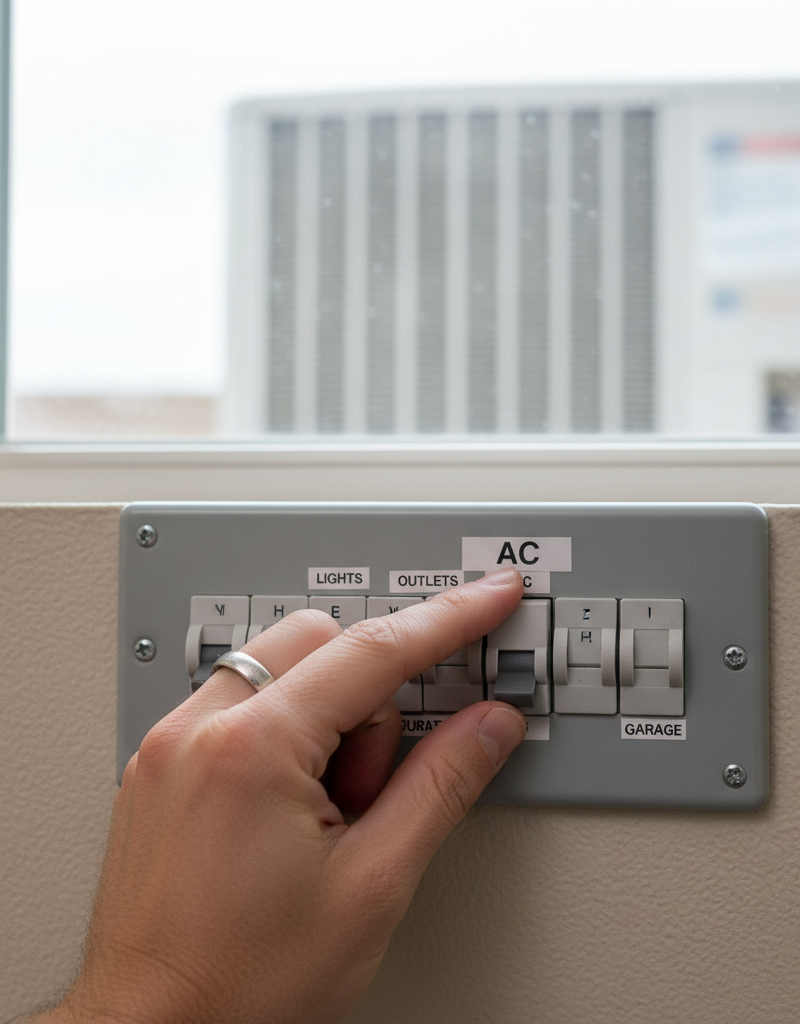
Always prioritize safety. Before touching any part of your AC unit, you must cut power. There are two places to do this: at the outdoor disconnect box near the unit, and at your main electrical panel by flipping the circuit breaker labeled 'AC' or 'Furnace/AC'. Use a voltage tester to confirm power is off at the disconnect.
-
Kill the Power Safely — Turn off all power to the outdoor unit.
- Go to your outdoor AC unit and locate the grey electrical disconnect box (it usually has a pull-out block or a flip switch). Turn it OFF or pull the block out. Crucially, also go to your main electrical panel and flip the circuit breaker that controls your outdoor unit (usually a double-pole 240V breaker labeled 'AC' or 'Furnace'). This ensures no accidental power surges during diagnostics.
- Safety Note: Always use a non-contact voltage tester on the wires inside the disconnect box to confirm there is no power before proceeding.
-
Inspect for Obstructions — Check for anything blocking the fan blades.
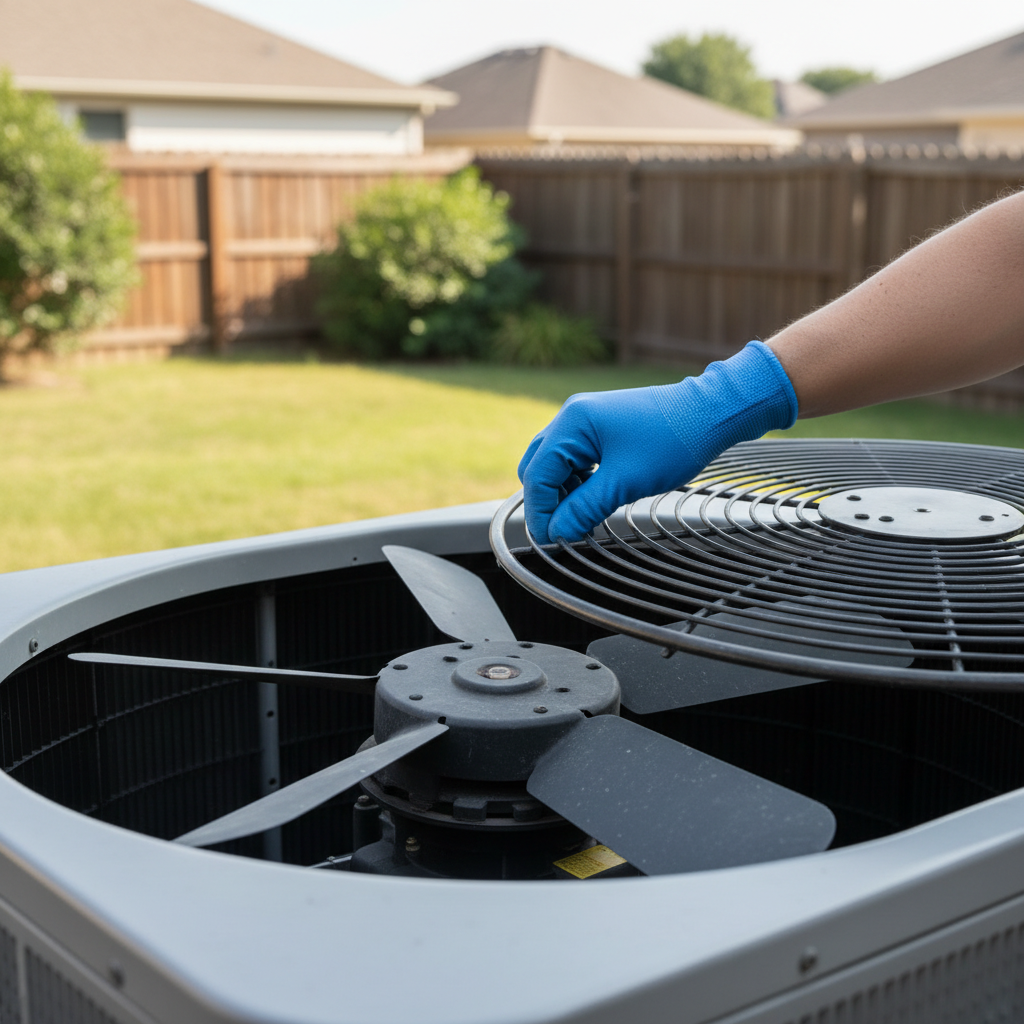
- Carefully remove the protective grill from the top of the condenser unit. You may need a screwdriver (usually a 5/16-inch or 1/4-inch nut driver or Phillips head). Set screws aside.
- Look for sticks, leaves, plastic bags, or anything that might be physically impeding the fan blades. Remove any obstructions. Even a small twig can prevent starting if it jams the blade.
-
Manually Spin the Fan — Give the fan a gentle, manual push.
- With the power still off, reach into the unit (carefully, minding sharp edges) and give one of the fan blades a gentle push with a long stick or gloved hand. The blades should spin freely for several rotations without much resistance. If it feels stiff or grinds, the motor bearings might be failing, indicating a motor replacement is likely needed.
-
Test the Spin with Power (Briefly!) — Reapply power and observe the fan.
- Replace the fan grill for safety, but don't secure it completely yet. Stand clear of the fan blades. Go back to your disconnect box and flip the power ON. You may hear the compressor hum.
- If the fan is still not spinning, carefully and briefly use a long stick (like a broom handle) to give one of the fan blades a firm but quick push. Watch if it starts spinning on its own after this initial nudge.
- If it spins: This is a strong indicator of a weak or failing run capacitor. The capacitor isn’t providing enough starting torque. Continue to step 5. If it spins for a few seconds and then stops, also points to the capacitor.
- If it doesn't spin at all (or hums loudly and quits): The capacitor could be completely dead, or the fan motor itself might be bad. Proceed to check the capacitor (Step 5) and then consider the motor.
-
Inspect the Start/Run Capacitor — Locate and visually inspect the capacitor.
- Remember to kill power again at both the disconnect and the breaker before proceeding!
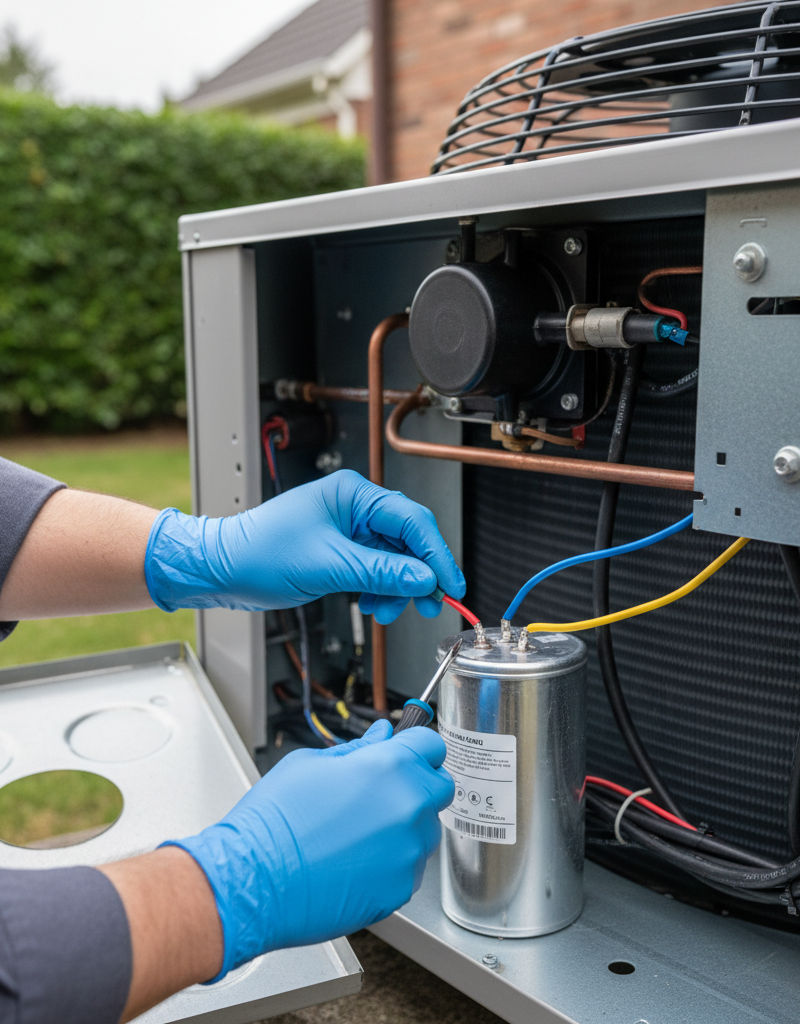
- Carefully remove the service panel on the side of the AC unit (usually held by a few screws). Inside, you'll find the capacitor – it's typically a cylindrical component, often silver or black, with 2-4 terminals on top.
- Look for signs of failure: bulging top, leaking oil, or rust. A bulging or leaking capacitor is definitely bad and needs replacement. Even if it looks fine, it could still be weak.
- Safety Note: Capacitors can hold a charge even after power is disconnected. Carefully discharge it by shorting the terminals with an insulated screwdriver (handle only) or insulated pliers, touching the metal part across terminals. You might hear a small spark.
- If you have a multimeter with a capacitance setting, you can test it (ensure it's discharged first). Compare the reading to the microfarad (MFD or µF) rating printed on the capacitor label (e.g., 35/5 MFD for a dual capacitor or 45 MFD for a single). A reading significantly lower than the rating indicates a weak capacitor.
-
Replace the Capacitor (If Suspected) — Install a new capacitor of the correct rating.
- Take a photo of the wiring before disconnecting anything. Note which wires go to 'Herm' (compressor), 'Fan' (fan motor), and 'C' (common). If it's a single run capacitor, it will have two terminals.
- Carefully remove the wires from the old capacitor using needle-nose pliers.
- Install the new capacitor, connecting the wires to the corresponding terminals. Ensure the new capacitor has the exact same MFD/µF rating as the old one. The voltage rating should be equal to or higher than the original (e.g., 370V or 440V).
- Secure the new capacitor in its mounting bracket.
-
Test the Fan with New Capacitor — Restore power and check operation.
- Reattach the service panel and fan grill. Restore power at the breaker and the disconnect box.
- Turn on your AC at the thermostat and observe the outdoor unit. The fan should now start spinning immediately and smoothly.
- If the fan still doesn't spin, or spins sluggishly, the issue is likely the fan motor itself, or potentially the control board.
-
Consider Fan Motor Replacement — If the capacitor wasn't the issue.
- If the fan blades are stiff, make grinding noises when spun manually, or if replacing the capacitor didn't solve the problem, the fan motor is likely faulty. This is a more involved repair best left to a professional, as it requires proper wiring, mounting, and often balancing of the new motor and blade assembly.
Common Causes
- Failing Run Capacitor: This is by far the most common culprit. Over time, capacitors lose their ability to store and release electrical charge efficiently, causing the motor to struggle or fail to start. Heat and age accelerate this degradation.
- Blocked Fan Blades: Debris like sticks, leaves, or even small animals can get lodged in the fan blades, preventing them from spinning. This is often an easy visual fix.
- Worn Fan Motor Bearings: The bearings inside the fan motor can wear out, causing increased friction. This makes it harder for the motor to turn and can lead to grinding noises or complete seizure. Excessive vibration can also damage bearings.
- Motor Overheating/Thermal Overload: If the motor overheats (due to high ambient temperatures, capacitor issues, or prolonged struggle), an internal thermal overload switch might trip to protect it. Once cooled, it might reset, but it indicates an underlying problem.
- Electrical Issues: Less common, but sometimes a faulty relay in the control board or a loose wire connection can prevent power from reaching the fan motor.
Common Mistakes
- Forgetting to Kill All Power: The biggest and most dangerous mistake. Serious injury or electrocution can occur if power isn't completely disconnected at both the disconnect and the main breaker. Always verify with a voltage tester.
- Not Discharging the Capacitor: Capacitors store high voltage even after power is off. Touching the terminals without discharging can deliver a painful, potentially dangerous, shock. Always discharge it safely.
- Replacing with the Wrong Capacitor: Using a capacitor with incorrect MFD/µF ratings can damage the new capacitor, the fan motor, or even the compressor. Always match the capacitance exactly (e.g., if it's 35/5 MFD, replace with 35/5 MFD).
- Ignoring a Stiff/Noisy Fan: If the fan blades don't spin freely or make grinding noises even after removing obstructions, merely replacing the capacitor is a temporary fix at best. The motor needs attention. Ignoring this can lead to the new capacitor failing prematurely or further motor damage.
- Bending Blades: Trying to forcefully move a stuck fan blade can bend it, unbalancing the fan and leading to vibrations, noise, and premature motor failure. Handle blades gently.
- Not Cleaning the Coils: While not directly causing the fan to stop, dirty condenser coils make the AC work harder, raising temperatures and stressing components like the capacitor and fan motor, leading to earlier failure.
Cost & Time Breakdown
| Task | DIY cost | Pro cost | Time |
|---|---|---|---|
| Visual Inspection / Obstruction Removal | $0 | $50–$100 (service call) | 5–15 minutes |
| Capacitor Test & Replacement | $15–$50 | $150–$300 | 20–45 minutes |
| Fan Motor Replacement | $80–$250 | $350–$700 | 1–3 hours |
| Electrical Diagnosis | $0 (multimeter) | $100–$250 | 15–30 minutes |
Tips & Prevention
- Seasonal Cleaning: Clear away leaves, grass clippings, and debris from around your outdoor unit regularly. Trim shrubs or plants that could obstruct airflow, maintaining at least 2 feet of clearance on all sides.
- Annual Professional Tune-up: Schedule an HVAC technician to inspect your system annually. They can test capacitor strength, check motor bearings, clean coils, and identify potential issues before they cause breakdowns.
- Monitor for Warning Signs: Pay attention to unusual noises (grinding, buzzing), reduced cooling performance, or the fan struggling to start. Early detection can prevent more costly repairs.
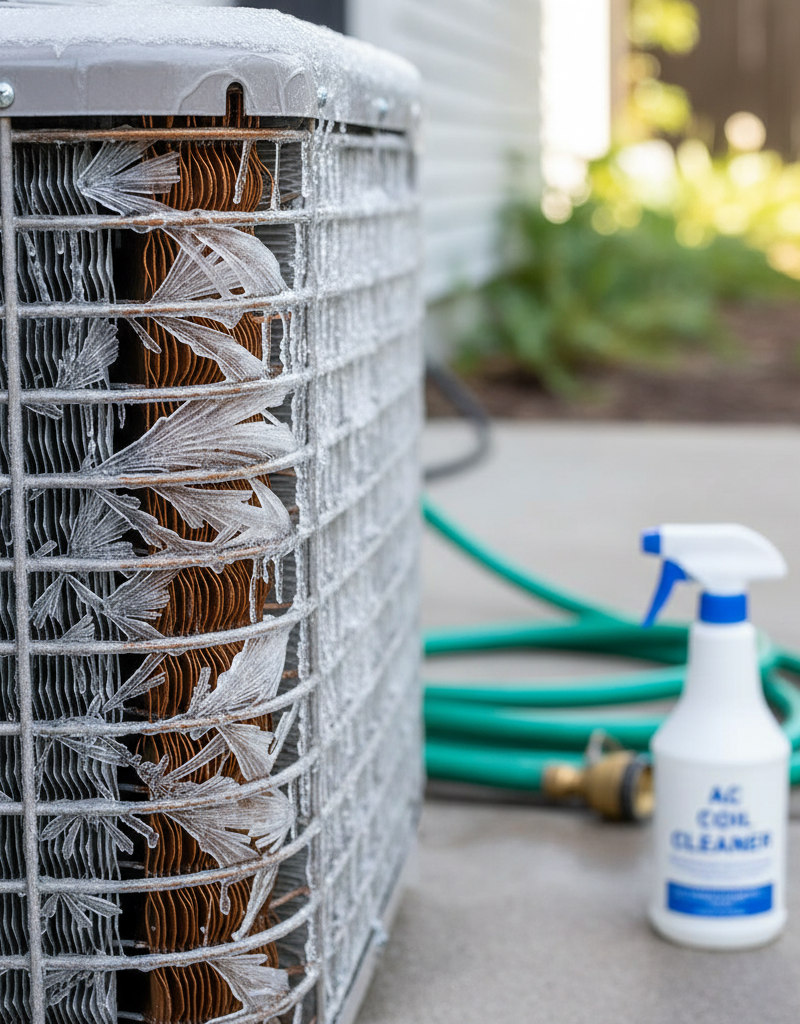
- Check Coil Cleanliness: Periodically inspect your condenser coils. If they appear dirty, gently spray them with a hose (never a pressure washer) to remove grime. Specialized coil cleaner can be used for built-up dirt and grease.
- Consider a Surge Protector: Electrical surges can damage sensitive components like capacitors and control boards. An HVAC-specific surge protector can offer an extra layer of defense.
When to Call a Professional
While replacing a capacitor is a common DIY fix, there are clear signs that it's time to call a licensed HVAC professional. If, after checking for obstructions and attempting the capacitor replacement, your fan still refuses to spin, or if replacing the capacitor doesn't resolve the issue, the problem is likely more complex. Grinding noises, a burning smell, or visible damage to wiring further indicate a professional is needed. If you're uncomfortable working with electricity, even after disconnecting power, or if you suspect issues beyond a simple capacitor (like a failing fan motor, compressor issues, or control board problems), it's always best to err on the side of caution. HVAC systems involve high voltage and specialized refrigerant circuits that only trained technicians should handle. A qualified pro can accurately diagnose the root cause, ensure safe repair, and perform any necessary refrigerant charging or system balancing.
Frequently asked questions
Why is my AC fan not spinning but the unit is humming?+
The most common reason is a weak or failing run capacitor. The capacitor provides the initial boost of electricity needed to start the fan motor. If it's weak, the motor may hum (indicating it's getting some power) but lack the oomph to actually start spinning. Obstructions or a seized motor bearing can also cause this.
Can I manually spin my AC fan to get it started?+
Yes, carefully and *with power completely off*, you can gently push the fan blade with a stick or gloved hand to see if it spins freely. With power *briefly* restored, a quick firm push can sometimes get a weak fan spinning, confirming a capacitor issue. This is a diagnostic trick, not a permanent fix, and should only be done with extreme caution.
How do I know if my AC capacitor is bad?+
Visually, look for a bulging top, leaks, or rust. A healthy capacitor should be perfectly flat on top. For a more accurate test, use a multimeter with a capacitance setting (after safely discharging the capacitor) and compare the reading to the microfarad (MFD) rating printed on the capacitor label. A significantly lower reading indicates a bad capacitor.
Is it dangerous to run my AC with a non-spinning fan?+
Yes, it is dangerous and can cause severe damage to your AC system. Without the fan, the condenser cannot dissipate heat, causing the compressor to overheat and potentially fail, leading to a very expensive repair. Turn off your AC immediately if the fan isn't working.
Discussion
Loading comments…