Tools & materials you'll need
Affiliate linksAs an Amazon Associate FixlyGuide earns from qualifying purchases — at no extra cost to you. Prices and availability are accurate as of publication and subject to change.
Quick Answer
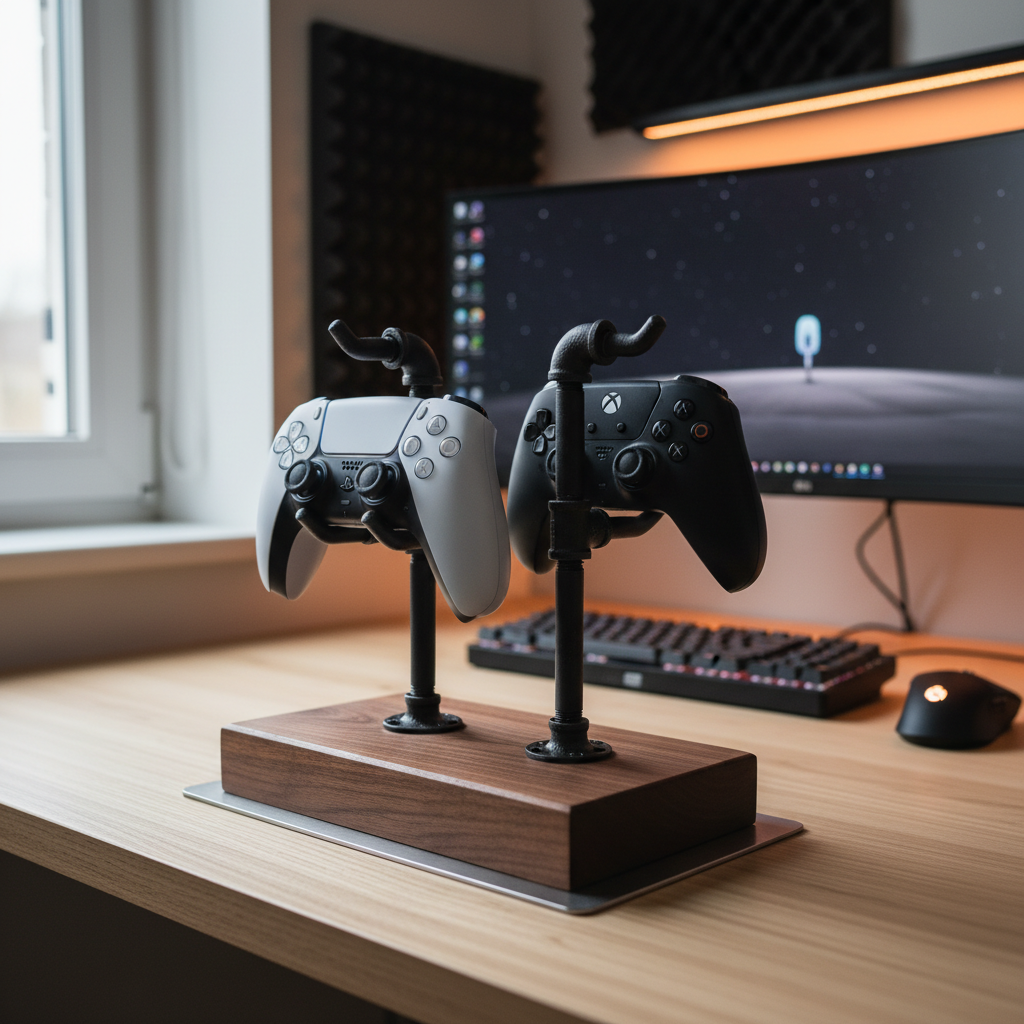
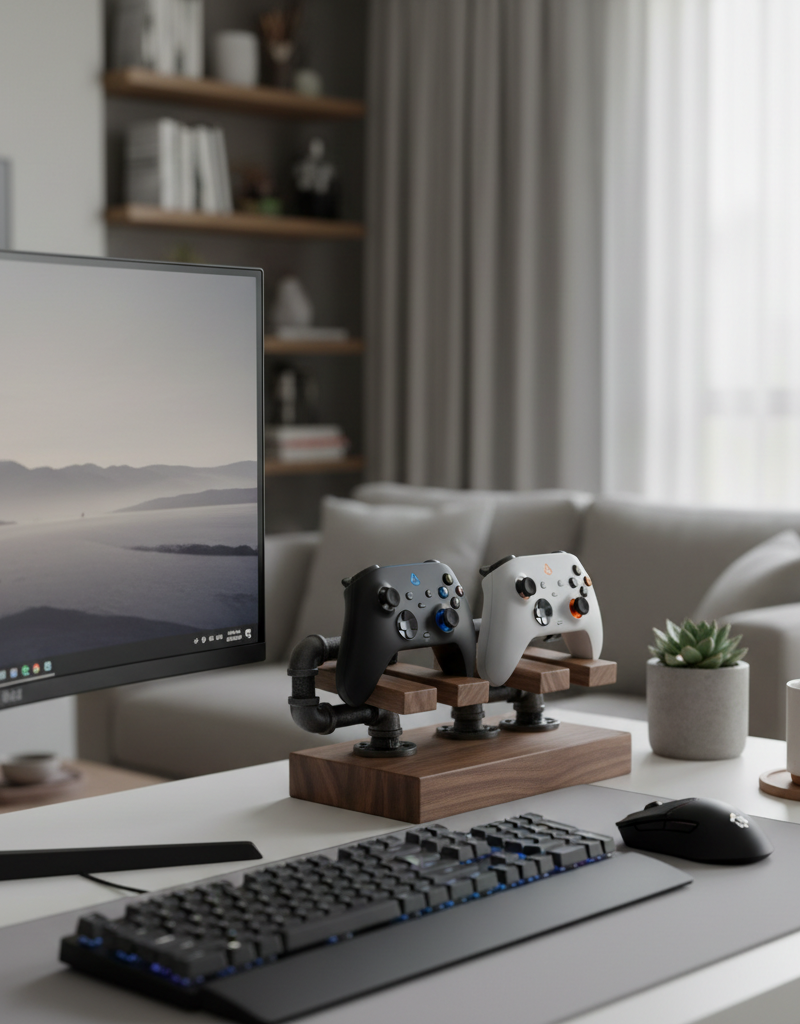
Building your own video game controller stand is a straightforward and rewarding DIY project that can dramatically improve the organization and aesthetics of your gaming area. For about $25 and a few hours of your time, you can create a custom solution using common materials like wood and pipe fittings, protecting your controllers from damage and keeping your setup clutter-free.
The Problem
Every serious gamer faces the same challenge: controller chaos. A growing collection of game controllers for various consoles, PCs, and retro systems often ends up strewn across desks, entertainment centers, or even the floor. This not only creates an unsightly mess but also exposes expensive gaming gear to dust, spills, and accidental drops, significantly shortening their lifespan. Beyond the aesthetic and protective concerns, a disorganized gaming space can negatively impact the gaming experience itself, as players waste time searching for the right controller or dealing with tangled charging cables. Off-the-shelf solutions often fall short, either being too generic, poorly constructed, or not designed for a specific collection of controllers and accessories. This leaves many homeowners frustrated, seeking a more robust, personalized, and cost-effective way to manage their gaming hardware.
How It Works
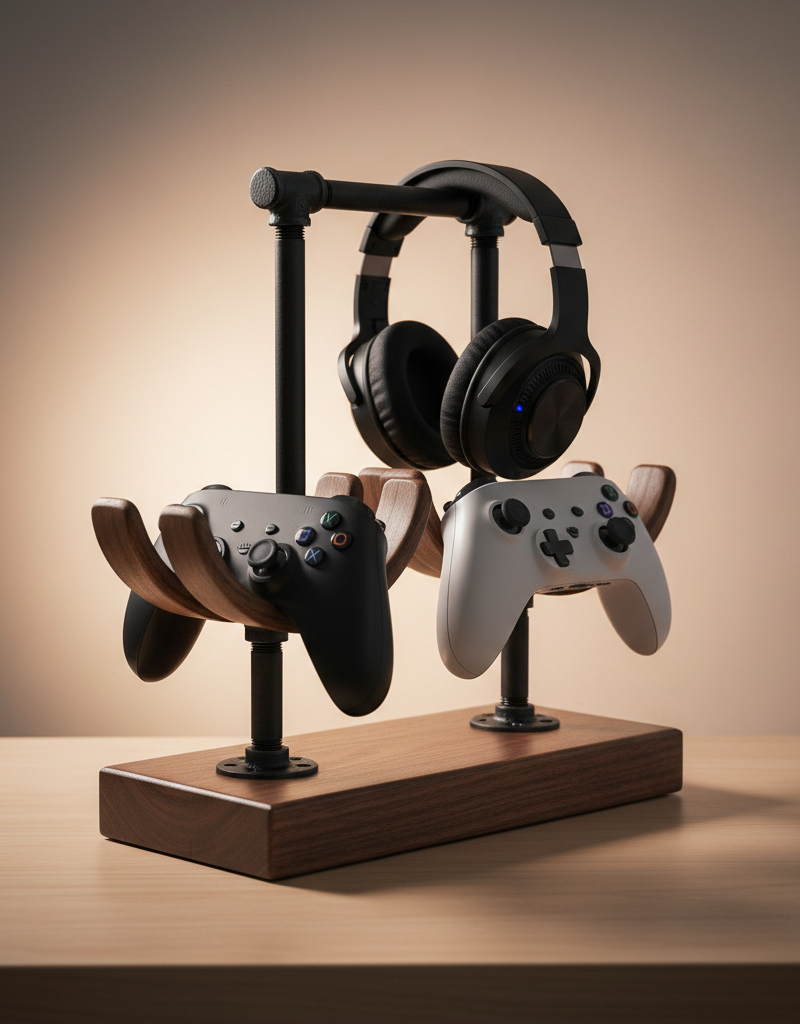
The concept behind a custom controller stand is elegantly simple: provide a designated, elevated, and stable resting place for each controller. Structurally, these stands typically rely on a sturdy base, often made from wood, which provides the necessary weight and footprint to prevent tipping. Vertical elements, frequently fashioned from materials like metal pipes, wooden dowels, or acrylic rods, extend from the base to cradle or suspend the controllers. The design aims to utilize gravity and balance, ensuring that the controllers sit securely without falling. For materials like half-inch black iron pipe, threaded connections allow for easy assembly and customization, letting you create multiple arms or levels. Wood components, such as a base or vertical supports, enhance stability and offer a customizable aesthetic. The joinery, whether it's wood glue and screws for timber or threaded connections for pipe, is crucial for creating a durable structure. Surface finishes, like oil or polyurethane on wood, not only improve the appearance but also protect the materials from wear and tear. The beauty of DIY in this context is the ability to tailor the stand’s dimensions and configuration to perfectly fit your specific controllers, whether you need space for a PlayStation controller, an Xbox controller, a Nintendo Switch Pro Controller, or even older retro gamepads, optimizing both storage and accessibility while reflecting your personal style.
Step-by-Step Fix
-
Gather Your Materials – Before you begin, ensure you have all necessary wood pieces, pipe fittings, and tools ready.
- Collect your chosen wood for the base (walnut, ash, oak) and the specific black iron pipe fittings (tees, nipples, caps, flanges) you plan to use. Measure and mark all cuts clearly. Always double-check measurements before cutting.
-
Cut and Finish Wood Base – Accuracy in cutting and a smooth finish are key for a professional look.
- Precisely cut your wood base to your desired dimensions (e.g., 6" x 10" for a two-controller stand). Use a miter saw or circular saw for clean, straight cuts. Once cut, sand all surfaces with progressively finer grit sandpaper (120, 180, 220) until smooth. Apply a wood finish like tung oil, Danish oil, or polyurethane according to the manufacturer's instructions, allowing adequate drying time between coats.
-
Assemble Pipe Fittings – Thread pipe components carefully to ensure a secure and stable structure.
- Begin by screwing the floor flange to your finished wood base. Use wood screws appropriate for the thickness of your base. Then, thread a short pipe nipple (e.g., 2-inch) into the flange. Attach a tee fitting to the nipple, orienting the open ends to accept the horizontal controller supports. Continue assembling with additional nipples and tees or caps as per your design, ensuring all connections are hand-tightened and then given an extra quarter-turn with a pipe wrench for security. Consider using pipe thread sealant on connections if you desire extra rigidity, though it's not strictly necessary for a static stand.
-
Attach Controller Supports – Ensure supports are angled correctly for optimum controller stability.
- Thread longer pipe nipples (e.g., 4-inch or 6-inch, depending on controller size) into the open ends of the tee fittings. These will be the arms that cradle your controllers. On the end of each support, attach a cap fitting. Ensure these supports are angled slightly upwards or outwards as needed to securely hold the controllers without them slipping off. Test the fit with your actual controllers as you go.
-
Test Stability and Make Adjustments – A wobbly stand defeats the purpose; confirm it's solid.
- Once fully assembled, place your controllers on the stand. Gently push and prod the stand to check for any wobbles or instability. If unstable, retighten any loose pipe fittings or add felt pads to the bottom of the wood base for better grip and to protect your surfaces.
-
Optional: Add Soft Padding – Protect your controllers from scratches and improve grip.
- To prevent scratches and provide a gentler resting place, consider adding adhesive-backed felt pads or small rubber strips to the sections of the pipe that make direct contact with your controllers. Cut these precisely and apply firmly.
-
Consider Cable Management – Integrate simple solutions to keep charging cables tidy.
- If your controllers are rechargeable, think about how to manage their charging cables. You can use small adhesive cable clips attached to the back of the wood base or even thread cables through certain pipe sections if designed aptly. This keeps the setup looking clean and prevents cable tangle.
-
Personalize and Enjoy – Make it truly yours with custom touches.
- Now that your stand is functional, consider adding personal touches like painting the pipe fittings (after proper priming) or engraving the wood base. Display your controllers proudly and enjoy your newly organized gaming space! Ensure the stand is placed on a stable, level surface, away from extreme temperatures or direct sunlight that could affect the wood finish or controller components.
Common Causes
- Lack of dedicated storage: The primary reason for cluttered gaming spaces is simply not having a specific, accessible spot for controllers. Without a home, they migrate to any available flat surface. Inadequate or poorly designed commercial stands often don't meet specific needs.
- Growing controller collection: Modern gaming often involves multiple consoles and types of controllers (e.g., Xbox, PlayStation, Switch Pro, retro controllers), quickly overwhelming limited storage options. Each new console adds to the challenge.
- Desire for easy access: Gamers often leave controllers out for convenience, but this often leads to them being left in disarray rather than being carefully put away. A stand offers both accessibility and organization.
- Lack of aesthetic appeal in existing solutions: Many off-the-shelf stands prioritize function over form, leading homeowners to avoid using them if they clash with their home decor. DIY allows for integration with existing aesthetics.
- Protecting expensive equipment: Controllers, especially high-end models, are significant investments. Leaving them unprotected on a desk or floor increases the risk of damage from spills, drops, or dust, necessitating a safer storage solution.
Common Mistakes
- Using flimsy materials: Choosing thin, lightweight wood or plastic pipes can result in a wobbly, unstable stand that tips easily, potentially damaging controllers. Always opt for sturdy wood (at least 3/4-inch thick) and strong metal pipe fittings for a durable base and supports.
- Incorrect pipe sizing: Using pipe sizes that are too small will make the stand look disproportionate and potentially unstable, while pipes that are too large can make it clunky. Standard 1/2-inch black iron pipe is usually ideal for a good balance of strength and aesthetics; verify controller fit before final assembly.
- Poorly sanded or unfinished wood: Rough wood can scratch surfaces, splinter, or absorb moisture, leading to premature deterioration. Always sand wood thoroughly with increasing grit sandpaper and apply a protective finish to seal it and enhance its appearance.
- Ignoring controller fit: Designing a stand without considering the exact shape and size of your specific controllers can lead to an impractical or unstable result. Frequently test-fit your controllers during the design and assembly phases to ensure they rest securely without slipping.
- Over-tightening or under-tightening pipe joints: Over-tightening can strip threads or damage fittings, while under-tightening leads to a loose, wobbly stand. Hand-tighten first, then apply an additional quarter to half turn with a pipe wrench for a secure, but not strained, connection.
- Neglecting surface protection: Placing the stand directly on furniture without padding can cause scratches or damage to your surfaces. Always attach felt pads or rubber feet to the bottom of the wood base to protect your furniture.
Cost & Time Breakdown
| Task | DIY Cost | Pro Cost | Time |
|---|---|---|---|
| Materials (Wood & Pipe) | $20–$35 | N/A | 1–2 hours |
| Cutting & Sanding Wood | $0 (if tools owned) | N/A | 30–60 minutes |
| Assembling Pipe Fittings | $0 (if tools owned) | N/A | 30–45 minutes |
| Finishing Wood | $5–$15 | N/A | 1–2 hours (drying time inclusive) |
| Total (DIY) | $25–$50 | N/A | 2–4 hours (active) |
Tips & Prevention
- Regular Dusting: Dust can accumulate quickly on gaming equipment and stands. Make it a habit to dust your controller stand and controllers weekly with a microfiber cloth to keep them clean and prevent dust buildup in controller crevices.
- Inspect Connections Annually: Once a year, give your pipe connections a gentle check. If anything feels loose, use a pipe wrench to carefully tighten it a quarter-turn. This prevents wobbles and ensures long-term stability.
- Reapply Wood Finish: Depending on the type of finish used and environmental factors, consider reapplying a protective wood finish (like tung oil or polyurethane) every 2-3 years. This keeps the wood looking fresh and protected from minor spills or scratches.
- Dedicated Charging Spot: Designate one section of your stand or a nearby area as a charging hub. Use a multi-port USB charger and short cables to minimize clutter while controllers are powered up.
- Consider Custom Controller Inserts: If you have particularly uniquely shaped controllers, consider using a high-density foam (like EVA foam) cut to fit inside a pipe cap to perfectly conform to the controller's shape, providing bespoke cushioning.
- Plan for Future Growth: When designing, consider adding an extra pipe arm or a larger base than immediately necessary if you anticipate acquiring more controllers in the future. It's easier to build in expandability now than to completely rebuild later.
When to Call a Professional
For this specific project, a professional isn't typically needed, as it's a straightforward DIY task involving basic woodworking and pipe assembly. However, if you lack the necessary tools or feel uncomfortable working with power tools for cutting wood, a local handyman or a custom furniture maker could be hired to cut and finish the wood base to your specifications. If you're attempting a highly intricate metalwork design beyond simple threaded pipe fittings, a metal fabricator might be consulted. Otherwise, this project is well within the capabilities of most homeowners to tackle with readily available materials and basic tools."}) کانال یابی برای تلویزیون یک روش رایج برای بهبود کیفیت تصویر تلویزیون با دریافت سیگنالهای قوی و واضح است. این کار به شما امکان میدهد شبکهها و کانالهای محلی بیشتری را مشاهده کنید. در این مقاله, به بررسی کامل مراحل کانال یابی در تلویزیونهای مختلف میپردازیم. راهنمای تصویری گام به گام و نکات مهم، به شما در انجام این کار کمک خواهد کرد. مراحل کلی کانال یابی برای تلویزیون کانال یابی تلویزیون، به طور کلی شامل مراحل زیر است: 1. اتصال آنتن: پیش از هر کاری، مطمئن شوید که آنتن شما به درستی به تلویزیون متصل شده است. در صورت نیاز، آنتن را در موقعیت مناسب قرار دهید تا بهترین سیگنال را دریافت کنید. 2. ورود به منوی تنظیمات: به منوی اصلی تلویزیون خود بروید. برای این کار، معمولاً از دکمه "Menu" یا "Settings" در ریموت کنترل استفاده کنید. 3. انتخاب گزینه کانال یابی: در منوی تنظیمات، به دنبال گزینههایی مانند "کانال یابی" (Channel Scan), "جستجو کانال" (Channel Search), "تنظیم خودکار" (Auto Tuning) یا "راه اندازی" (Setup) باشید. 4. انتخاب نوع جستجو: در این مرحله، معمولاً از شما خواسته میشود نوع جستجو را انتخاب کنید. عموماً دو گزینه اصلی وجود دارد: * جستجوی خودکار (Auto Scan): این گزینه به تلویزیون اجازه میدهد به طور خودکار همه کانالهای موجود را جستجو و ذخیره کند. * جستجوی دستی (Manual Scan): در این روش، شما میتوانید فرکانسهای خاصی را برای جستجو وارد کنید. این روش برای زمانی مفید است که میخواهید به دنبال کانالهای خاصی بگردید یا میدانید فرکانسهای ضعیفتری دارید. 5. شروع جستجو: پس از انتخاب نوع جستجو، دکمه "شروع" (Start) یا "تأیید" (OK) را فشار دهید. تلویزیون شروع به جستجوی کانالها میکند. این فرآیند ممکن است چند دقیقه طول بکشد. 6. ذخیره کانالها: پس از اتمام جستجو، تلویزیون از شما میپرسد که آیا میخواهید کانالهای یافت شده را ذخیره کنید. گزینه "بله" (Yes) یا "ذخیره" (Save) را انتخاب کنید. کانال یابی در تلویزیونهای برندهای مختلف اگرچه مراحل کلی کانال یابی یکسان است، اما جزئیات منوها و گزینهها ممکن است در تلویزیونهای برندهای مختلف کمی متفاوت باشد. در ادامه، به بررسی کانال یابی در تلویزیونهای محبوب میپردازیم: 1. کانال یابی تلویزیون سامسونگ * دکمه "Menu" یا "Settings" را روی ریموت کنترل بزنید. * به "پخش" (Broadcasting) یا "سیستم" (System) بروید. * "تنظیم خودکار" (Auto Tuning) را انتخاب کنید. * نوع آنتن را (آنتن یا کابل) انتخاب کنید. * "جستجوی خودکار" یا "Auto Scan" را بزنید. 2. کانال یابی تلویزیون ال جی * دکمه "Settings" یا "Gear" را روی ریموت کنترل فشار دهید. * به "Advanced Settings" یا "همه تنظیمات" بروید. * "کانالها" (Channels) را انتخاب کنید. * "تنظیم کانال" (Channel Tuning) یا "جستجوی خودکار" را انتخاب کنید. * نوع آنتن را (هوایی یا کابل) انتخاب کنید. * "شروع" (Start) را بزنید و منتظر بمانید تا جستجو تمام شود. 3. کانال یابی تلویزیون سونی * دکمه "Home" یا "Option" را روی ریموت کنترل فشار دهید. * به "تنظیمات" (Settings) بروید. * "تنظیم کانال" (Channel Setup) یا "تنظیم دیجیتال" (Digital Setup) را انتخاب کنید. * "تنظیم خودکار دیجیتال" (Digital Auto Tuning) را انتخاب کنید. * "آنتن" (Antenna) را انتخاب کنید. * "شروع" (Start) را بزنید. 4. کانال یابی تلویزیون پاناسونیک * دکمه "Menu" را فشار دهید. * به "راه اندازی" (Setup) بروید. * "تنظیم خودکار" (Auto Setup) را انتخاب کنید. * نوع آنتن (DVB-T) را انتخاب کنید. * "جستجوی کامل" (Full Scan) را انتخاب کنید. * "شروع" (Start) را بزنید. نکات مهم برای کانال یابی بهتر * موقعیت آنتن: آنتن را در بهترین موقعیت ممکن قرار دهید. اغلب، آنتنهای هوایی در ارتفاع بالاتر و نزدیک پنجرهها، سیگنال بهتری دریافت میکنند. * کیفیت کابل آنتن: از کابل آنتن با کیفیت و کوتاه استفاده کنید. کابلهای بلند یا آسیب دیده میتوانند باعث افت سیگنال شوند. * تقویت کننده آنتن: اگر در منطقهای با سیگنال ضعیف زندگی میکنید، استفاده از یک تقویت کننده آنتن (Signal Booster) میتواند مفید باشد. * بازنشانی تلویزیون: گاهی اوقات، پس از کانال یابی ناموفق، بازنشانی (Reset) تلویزیون به تنظیمات کارخانه و سپس انجام مجدد کانال یابی میتواند مشکل را حل کند. این کار تمام تنظیمات شما را پاک میکند، بنابراین قبل از انجام آن، از اهمیت این موضوع آگاه باشید. * بهروزرسانی نرمافزار تلویزیون: اطمینان حاصل کنید که نرمافزار (Firmware) تلویزیون شما به روز است. گاهی اوقات، بهروزرسانیها میتوانند مشکلات مربوط به دریافت سیگنال را برطرف کنند. مشکلات رایج و راهحلها * عدم دریافت کانالها: مطمئن شوید آنتن و کابل آن سالم و به درستی متصل هستند. موقعیت آنتن را تغییر دهید. * کیفیت پایین تصویر: سیگنال آنتن را بررسی کنید. ممکن است نیاز به آنتن قویتر یا تقویت کننده داشته باشید. * کانالهای از دست رفته: گاهی اوقات، پس از مدتی، ممکن است برخی کانالها از بین بروند. این امر معمولاً به دلیل تغییر فرکانس توسط پخشکنندهها یا ضعیف شدن سیگنال است. کانال یابی مجدد این مشکل را حل خواهد کرد. نتیجهگیری کانال یابی تلویزیون یک فرآیند ساده است که با چند قدم آسان میتوان انجام داد. با رعایت نکات مهم و آگاهی از تفاوتهای جزئی در منوی تلویزیونهای مختلف، میتوانید بهترین تجربه تماشای تلویزیون را داشته باشید و از طیف گستردهای از کانالهای محلی بهرهمند شوید. اگر با مشکل مداومی مواجه شدید، به دفترچه راهنمای تلویزیون خود مراجعه کنید یا با پشتیبانی مشتریان تماس بگیرید. این راهنما به شما کمک میکند تا به طور کامل از این فرآیند آگاه باشید و بهترین نتیجه را بگیرید. کانال یابی دستی نیز میتواند یک گزینه مفید باشد، به ویژه زمانی که میخواهید فرکانسهای خاصی را جستجو کنید. همیشه به یاد داشته باشید که هر تلویزیونی ممکن است تفاوتهای جزئی در منوی خود داشته باشد، بنابراین دفترچه راهنمای تلویزیون شما بهترین منبع برای اطلاعات دقیق است. این مقاله امیدوار است که به شما در انجام کانال یابی موفق کمک کرده باشد. با کانال یابی مناسب، تلویزیون شما آماده ارائه بهترین برنامهها خواهد بود. سؤالات متداول Q1: اگر بعد از کانال یابی هنوز کانالی پیدا نشد، چه کار کنم؟ A1: ابتدا از اتصال صحیح آنتن و سالم بودن کابل مطمئن شوید. سپس، موقعیت آنتن را تغییر دهید و دوباره کانال یابی کنید. در صورت لزوم، از یک تقویت کننده آنتن استفاده کنید. Q2: آیا کانال یابی دستی بهتر از کانال یابی خودکار است؟ A2: کانال یابی خودکار معمولاً برای یافتن همه کانالهای موجود کافی است. کانال یابی دستی زمانی مفید است که میخواهید فرکانسهای خاصی را بررسی کنید یا تلویزیون شما در یافتن کانالهای خاصی با مشکل مواجه است. Q3: هر چند وقت یک بار باید تلویزیون را کانال یابی کنم؟ A3: معمولاً نیازی به کانال یابی مکرر نیست. با این حال، اگر کانالهای جدید اضافه شده یا برخی کانالهای قدیمی ناپدید شدند، یا کیفیت سیگنال کاهش یافت، مجدداً کانال یابی کنید. این اتفاق ممکن است چند بار در سال بسته به تغییرات پخشکننده و سیگنال رخ دهد. Q4: آیا برای کانال یابی نیاز به اینترنت دارم؟ A4: خیر، کانال یابی سنتی برای دریافت کانالهای پخششده از طریق آنتن، نیازی به اینترنت ندارد. البته برای تلویزیونهای هوشمند که از امکانات آنلاین و پخش اینترنتی استفاده میکنند، اینترنت ضروری است اما برای دریافت کانالهای آنالوگ و دیجیتال محلی نیازی به آن نیست. Q5: چرا برخی کانالها شطرنجی میشوند؟ A5: شطرنجی شدن کانالها معمولاً نشانه سیگنال ضعیف آنتن است. دلایل آن میتواند شامل موقعیت نامناسب آنتن، کابل آسیب دیده، یا موانع فیزیکی (مانند ساختمانهای بلند) باشد. بهبود سیگنال آنتن این مشکل را برطرف میکند. این مقاله به طور جامع به موضوع کانال یابی برای تلویزیون پرداخته است. امیدواریم اطلاعات ارائه شده، برای شما مفید واقع شود. کانال یابی موفق برای شما آرزو میکنیم.", meta_title=
Related Articles
Keep troubleshooting with these hand-picked guides from FixlyGuide:
- The Single Cedar Board Secret to Attracting Bluebirds to Your Yard — Discover how to construct an ideal bluebird nesting box using just one cedar board, providing a safe and inviting habitat for these cherish…
- The Single Board Secret to Attracting Bluebirds: A Quick DIY House — Discover how to construct an ideal bluebird house using just one cedar board, providing a safe and inviting home for these cherished backya…
- The Single Cedar Board Secret to Attracting Bluebirds This Spring — Discover how a single cedar board can be transformed into a welcoming home for bluebirds, enriching your yard with their vibrant presence a…
- 7 Hidden Equity Drains Costing You Thousands Annually — Your home is an asset, but silent problems like minor leaks, poor insulation, and deferred maintenance can drain its value. Discover the se…
- The 12 Checks That Prevent 80% of Costly Home Repairs — Don't wait for a disaster. Our comprehensive monthly home maintenance checklist reveals the surprising, simple tasks that catch small issue…
- The 4-Step Drywall Patch Secret That Makes Large Holes Vanish — Discover how to flawlessly repair a large hole in drywall using a simple, effective method that makes the damage disappear without a trace.
Get the print-ready PDF of this guide
A clean, ad-free, printable version you can keep on your phone or pin to the workshop wall. We'll also send occasional weekly tips matched to your home situation.
- Print-optimized layout
- Tools, materials & every step included
- Unsubscribe anytime
This article was independently written by FixlyGuide based on the source topic.
Frequently asked questions
How difficult is it to build a custom controller stand?+
Building a custom controller stand using wood and pipe fittings is a moderate DIY project, suitable for homeowners with basic tools and some experience. The steps involve simple cutting, sanding, and threading pipe connections.
What is the typical cost for materials to build this stand?+
You can expect to spend between $25 and $50 on materials like wood for the base, black iron pipe fittings, and wood finish. This is significantly less than many high-end commercial stands.
How long does it take to construct a controller stand?+
The active hands-on time for building a stand is typically 2 to 4 hours, including time for cutting, assembly, and applying wood finish. Drying times for finishes will add to the overall project duration.
What type of pipes are best for a controller stand?+
Half-inch black iron pipe fittings are an excellent choice due to their strength, industrial aesthetic, and ease of assembly with threaded connections. Copper pipe can also be used for a different look, but requires soldering.
Discussion
Loading comments…