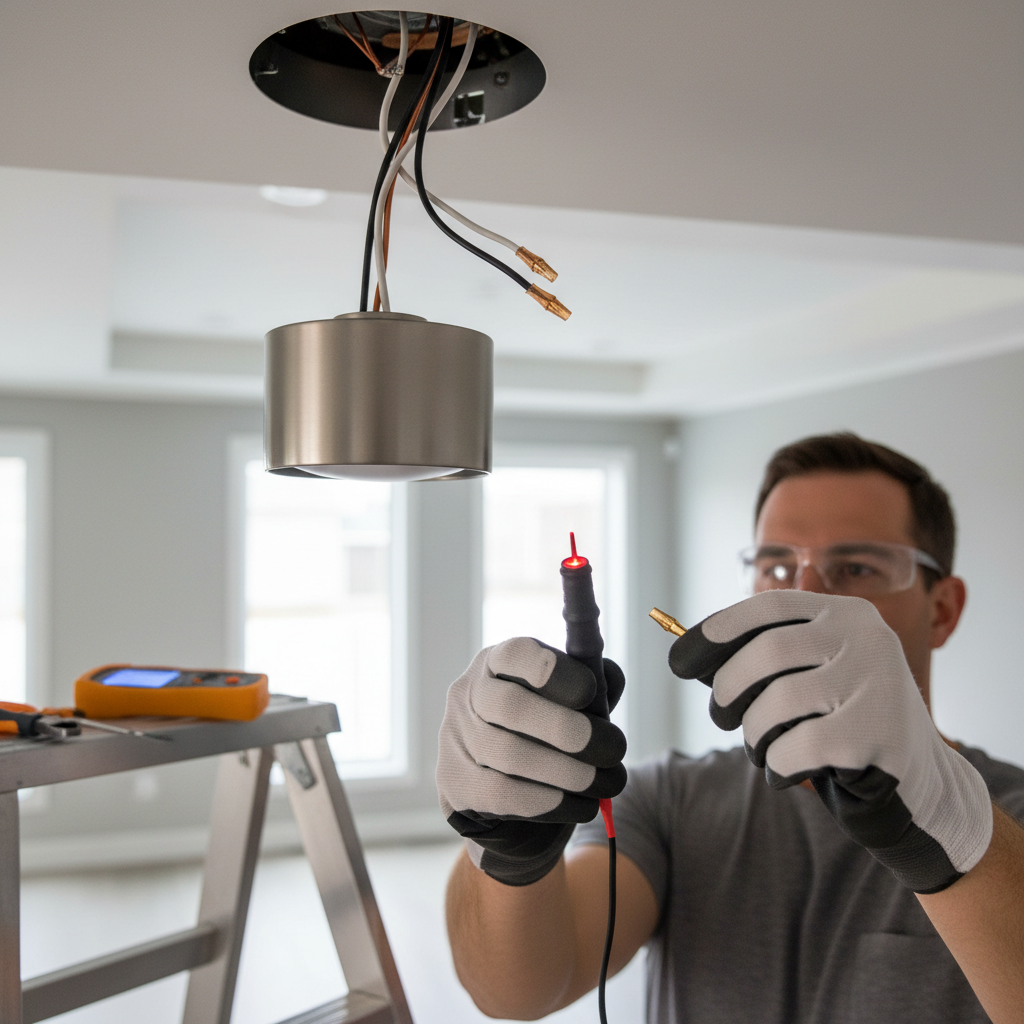
Tools & materials you'll need
Affiliate linksAs an Amazon Associate FixlyGuide earns from qualifying purchases — at no extra cost to you. Prices and availability are accurate as of publication and subject to change.
Quick Answer
Flickering lights in just one room are typically a symptom of a localized electrical problem, most often a loose connection within the light fixture itself, the wall switch controlling it, or the electrical outlet nearby. While a failing light bulb is the simplest culprit, persistent flickering often indicates a minor wiring issue that can usually be addressed by a homeowner with basic electrical knowledge and precautions.
The Problem
Imagine settling down for the evening, and suddenly, the lights in your living room – and only your living room – begin to dance and dim erratically. This isn't just annoying; it can be a sign of an underlying electrical problem that, if left unaddressed, could potentially lead to more serious issues like overheating or even fire hazards. The key to diagnosing this specific pain point is that the flickering is isolated to a single room, or sometimes even a single fixture within that room. This isolation rules out many whole-house electrical problems, such as issues with your utility power or the main service panel, and zeroes in on the more manageable, localized faults homeowners can often tackle themselves.
How It Works
Understanding how your residential electrical system delivers power to a single light fixture clarifies why flickering occurs. Electricity flows from your main service panel through circuit breakers, which protect individual circuits from overcurrent. From the breaker, wires (typically copper) run through the walls to various outlets, switches, and light fixtures. For a light to illuminate, it needs a continuous path for electricity to flow from the "hot" wire, through the bulb's filament (or LED driver), and back to the "neutral" wire, completing the circuit. A "ground" wire provides a safety path in case of a fault.
When a light flickers, it means this continuous flow of electricity is being interrupted, even if only for a fraction of a second. This interruption can happen at several points. A common cause is a loose connection: the wire might not be securely fastened to a terminal screw on the switch, outlet, or light fixture, causing intermittent contact. Over time, vibrations, thermal expansion and contraction, or even installation mistakes can loosen these connections. A faulty light bulb itself can have an intermittent filament. An overloaded circuit, though less common for a single light flickering, means too many devices are drawing power from that circuit, causing voltage drops and instability. Detecting where this interruption is occurring is the core of troubleshooting your flickering lights.
Step-by-Step Fix
Safety First – Always turn off the power at the circuit breaker before beginning any work on electrical fixtures, switches, or outlets. Verify the power is off using a non-contact voltage tester.
-
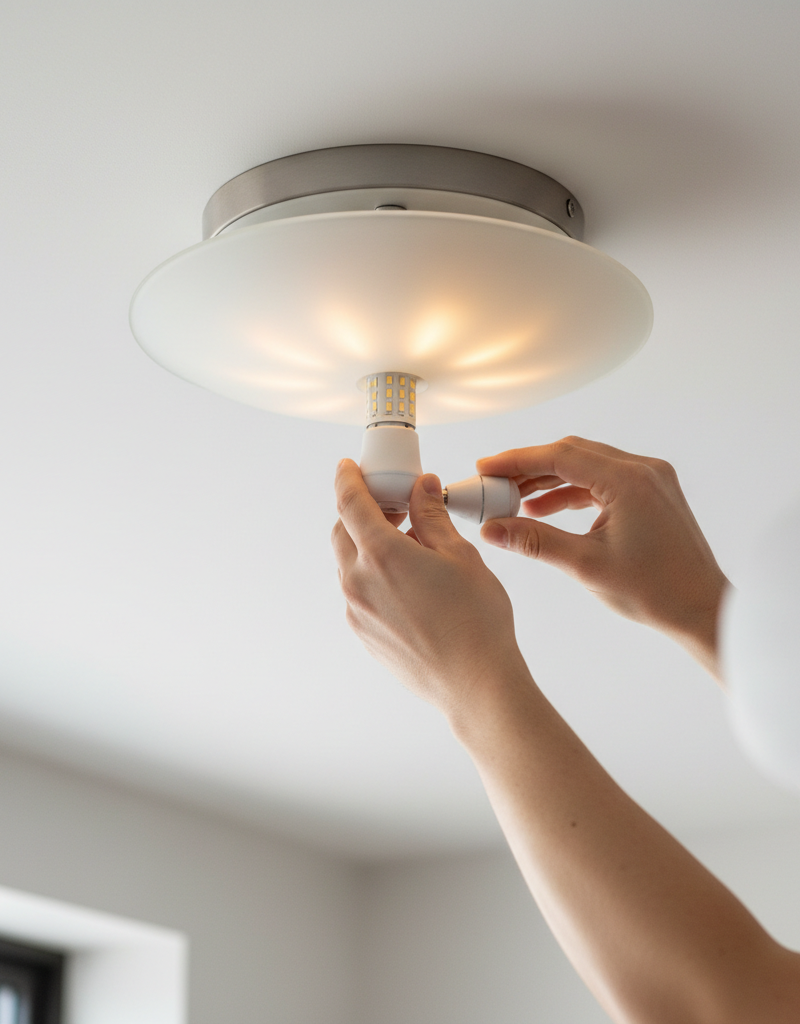
Check the Bulb First – The Simplest Solution
- Unscrew the flickering bulb and inspect the base. Look for any loose components or bent contact tabs.
- Replace it with a brand new bulb, preferably an incandescent one for testing, as LEDs can sometimes flicker due to compatibility issues with older dimmers or low-quality drivers. If a new bulb resolves the issue, you're done.
- If this doesn't work: The problem is likely beyond the bulb itself.
-
Inspect the Light Fixture Connections – Often the Culprit
- Turn off power at the breaker.
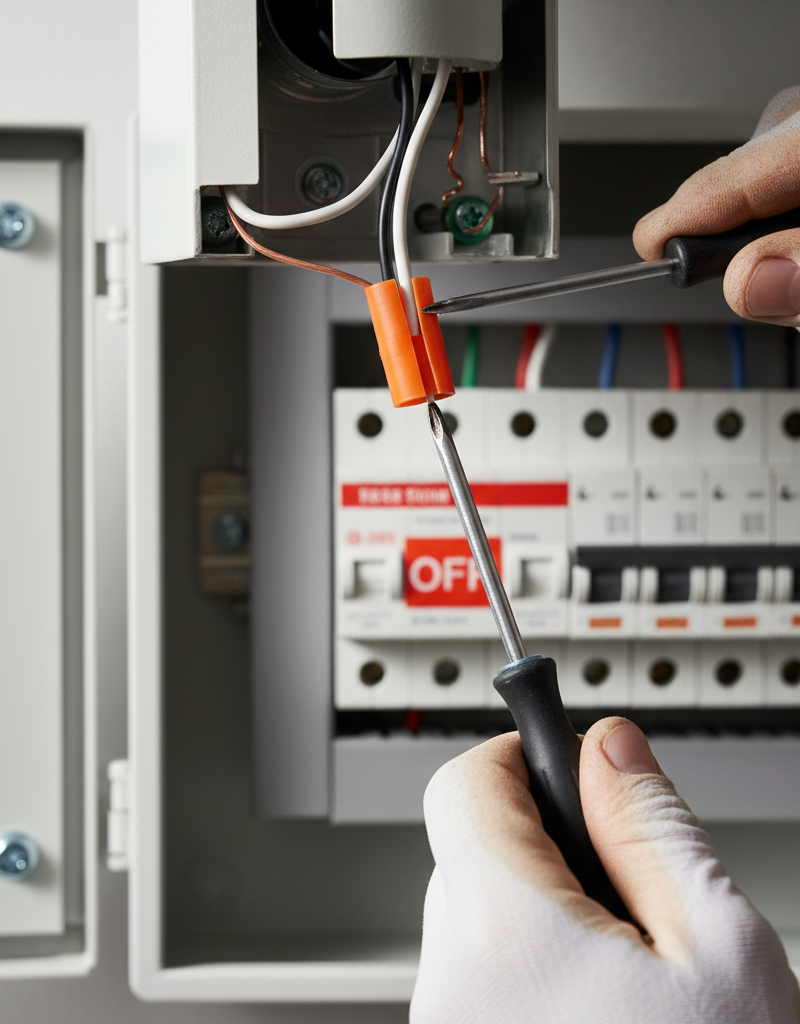
- Carefully remove the light fixture cover and unscrew the fixture from the junction box, exposing the wiring.
- Examine the wire nuts (or Wago connectors) connecting the fixture wires to the house wiring. Unscrew them, twist the wires together tightly, and re-secure with new wire nuts if the old ones seem loose or corroded. Ensure no bare copper is exposed outside the wire nut.
- Check that the fixture's wires are securely screwed into their terminals within the fixture itself, if applicable.
- Gently pull on each wire to ensure it's firmly seated.
- Reassemble the fixture and restore power to test.
-
Examine the Wall Switch – A Common Wear Point
- Turn off power at the breaker.
- Carefully unscrew the wall plate and then the switch from its electrical box.
- Inspect the wire connections on the switch terminals. Wires should be wrapped clockwise around the screw terminals and tightened securely. If using push-in connectors (backstab wiring), these can be prone to loosening; it's best practice to move these wires to the screw terminals instead.
- Look for any signs of arcing, burn marks, or corrosion on the wires or terminals. If present, replace the switch.
- Tighten any loose screws. If the switch feels "soft" or inconsistent when operated, it may be faulty. Replace it if necessary.
- Reinstall the switch and wall plate, then restore power to test.
-
Check Nearby Outlets (If Switched) – Less Common, Still Possible
- If the flickering light is controlled by a wall switch that also serves an outlet (often found in living rooms or bedrooms), turn off power at the breaker.
- Remove the wall plate and unscrew the outlet from its box.
- Examine the wiring connections, similar to the switch and fixture. Loose wires on an outlet, especially if other devices are plugged in, can cause voltage fluctuations affecting the entire circuit, including your light.
- Tighten any loose connections and look for signs of damage or corrosion. Replace if damaged.
- Reinstall the outlet and wall plate, then restore power to test.
-
Look for Overloaded Circuits – More Power Than Available
- Note which other appliances or devices are on the same circuit as the flickering light. You can often identify this by turning off the breaker for the flickering light and seeing what else loses power.
- If heavy-draw appliances (e.g., space heater, vacuum, hair dryer) are on the same single circuit and are used simultaneously, they can cause voltage drops. Try unplugging some devices.
- Consider redistributing high-amperage devices to different circuits or upgrading to a dedicated circuit if overloading is a persistent issue. This is a job for a pro.
-
Inspect the Circuit Breaker – A Weak Link
- If the above steps haven't resolved the issue, and especially if the breaker for that room occasionally trips, the breaker itself might be failing.
- With power OFF to the main panel, visually inspect the breaker. Look for any scorch marks or loose connections where the breaker connects to the bus bar.
- Do not attempt to replace a breaker yourself unless you are highly experienced and confident working in a live service panel. This is extremely dangerous. If you suspect a faulty breaker, call a licensed electrician.
Common Causes
- Loose Wire Connections: This is by far the most frequent culprit. Wires can loosen at the light fixture, the wall switch, or the electrical outlet due to vibrations, thermal cycling, or improper installation. When connections are loose, electricity can flow intermittently.
- Faulty Light Bulb: A defective or aging bulb, especially an incandescent one with a weakened filament, can cause flickering. Low-quality LED bulbs can also flicker if their integrated driver components fail.
- Aging or Damaged Light Fixture/Switch/Outlet: Over time, internal components or terminals within these devices can wear out, corrode, or become damaged, leading to intermittent contact.
- Overloaded Circuit: While less common for a single light, if the circuit powering the room has too many high-draw devices operating simultaneously, it can cause voltage fluctuations and flickering. This is more likely if the flickering intensifies when certain appliances are turned on.
- Fluctuating Voltage (External): Rarely, the power coming into your home from the utility company can have minor fluctuations. If this is the case, you would likely notice flickering in multiple rooms, or across your neighborhood. Report this to your power company.
Common Mistakes
- Forgetting to Turn Off Power: Attempting to work on electrical components without first shutting off the corresponding circuit breaker is extremely dangerous and can lead to severe electric shock or fire. Always verify power is off with a non-contact voltage tester.
- Ignoring the Simplest Solution First: Jumping straight to complicated wiring checks without first trying a new light bulb can waste significant time and effort. Always start with the easiest, most likely cause.
- Over-tightening or Under-tightening Wire Connections: Connections need to be secure, but overtightening can strip screw terminals or damage wires, while undertightening leaves a loose connection that defeats the purpose of the fix.
- Using Incorrect Wire Nuts/Connectors: Using wire nuts that are too small or too large for the gauge and number of wires being joined can lead to unreliable connections.
- Not Inspecting for Damage: Simply tightening a loose wire might not solve the problem if the wire itself is nicked, burnt, or corroded. Always inspect for signs of damage.
- Confusing Single-Room Flickering with Whole-House Issues: Panicking about major electrical problems when the issue is clearly isolated to one room can lead to unnecessary professional calls or wasted time troubleshooting the wrong area.
Cost & Time Breakdown
| Task | DIY cost | Pro cost | Time |
|---|---|---|---|
| Replace Light Bulb | $5–$20 | $0 (DIY only) | 1 minute |
| Tighten Fixture Wires | $0–$5 (wire nuts) | $100–$250 | 15–30 minutes |
| Replace Light Switch | $10–$30 | $100–$250 | 20–45 minutes |
| Tighten Outlet Wires | $0–$5 (wire nuts) | $100–$250 | 20–45 minutes |
| Investigate Overloaded Circuit | $0 | $150–$300+ (diagnosis) | 30–60 minutes |
Tips & Prevention
- Use Quality Bulbs: Invest in reputable brand-name light bulbs, especially LEDs, to ensure better performance and longevity. Cheaper bulbs often have cheaper drivers prone to flickering.
- Regularly Check Connections: If you notice consistent flickering during specific activities (like opening a door quickly or walking heavily), it might indicate a vibration-induced loose connection. Periodic checks of easily accessible fixtures can prevent issues.
- Don't Overload Circuits: Be mindful of how many high-wattage appliances you plug into outlets on the same circuit. Spread power-hungry items across different circuits if possible.
- Upgrade Old Wiring/Devices: If your home has very old knob-and-tube wiring, or ancient switches and outlets, consider having a licensed electrician inspect and upgrade them. Modern devices are more robust and safer.
- Understand Your Breaker Panel: Familiarize yourself with your home's electrical panel. Labeling your circuits clearly makes troubleshooting and powering down specific areas much safer and easier.
When to Call a Professional
While many instances of single-room flickering lights can be resolved by a homeowner, there are clear indicators when it
Related Articles
Keep troubleshooting with these hand-picked guides from FixlyGuide:
- Why Does Only One Room Have Flickering Lights? The Real Culprit — Flickering lights in a single room often point to a localized electrical issue, frequently a loose connection, easily diagnosed and repaire…
- Why Does Only One Room Have Flickering Lights? The Real Culprit — Flickering lights in a single room often point to a localized electrical issue, not a whole-home problem, making diagnosis and repair simpl…
- Why Does Only One Room Have Flickering Lights? The Real Culprit — Flickering lights in a single room often point to a localized electrical issue, most commonly a loose connection within the circuit.
- That One Warm Breaker Is Trying to Tell You Something — A single warm circuit breaker is not normal; it's a critical warning sign of an electrical issue, often an overload or a dangerous loose co…
- The 3 Hidden Reasons Your Circuit Breaker Keeps Tripping (And How to Stop It) — Uncover the surprising culprits behind repeatedly tripping circuit breakers and learn practical, actionable steps to diagnose and resolve t…
- The Secret Culprit Behind Your Dishwasher's Standing Water (It's Not Always a Clog) — Don't assume a clog is the only reason your dishwasher isn't draining; often, the fix is simpler than you think.
Get the print-ready PDF of this guide
A clean, ad-free, printable version you can keep on your phone or pin to the workshop wall. We'll also send occasional weekly tips matched to your home situation.
- Print-optimized layout
- Tools, materials & every step included
- Unsubscribe anytime
Frequently asked questions
Why would lights only flicker in one room?+
Flickering lights isolated to a single room usually indicate a localized problem within that room's electrical circuit. Common culprits include a loose connection at the fixture, switch, or outlet, or simply a failing light bulb. It's less likely to be a whole-house electrical issue.
Is flickering lights in one room dangerous?+
Persistent flickering can be a sign of a loose electrical connection, which can generate heat and potentially lead to arcing or fire if left unaddressed. While a failing bulb is harmless, any persistent, non-bulb-related flickering should be investigated promptly for safety.
Can a faulty outlet cause lights to flicker in a room?+
Yes, if an outlet on the same circuit has a loose connection, it can cause voltage fluctuations that affect other devices or lights on that circuit, leading to flickering. This is especially true if a high-draw appliance is plugged into that faulty outlet.
Discussion
Loading comments…